Move or Remove a Doc
When you move a doc or remove it altogether, that deletes its URL. Visiting the old URL will return a 404 - Page Not Found error, which negatively impacts customer experience and can damage our SEO.
To prevent this, create a 301 redirect. Follow these steps to ensure a smooth transition and maintain the health of our docs site.
Prerequisites
- You'll need a GitHub account to contribute to Sumo Logic Docs.
- We recommend adding 2FA protection when contributing to Sumo Logic repositories.
- Help us keep Sumo Logic Docs open and inclusive by reviewing our Code of Conduct.
Step 1: Create a 301 redirect
As an example, let's say there are two docs called Nginx App and Nginx (Legacy) App, and we need to deprecate the latter.
- In your GitHub authoring tool (like VS Code), open the cid-redirects.json file, which contains all 301 redirects.
- Add a redirect from the old URL you're removing to the new URL containing the equivalent content.
"/docs/integrations/web-servers/nginx-legacy": "/docs/integrations/web-servers/nginx",
Step 2: Update internal links
Ensure any internal links pointing to the deleted doc are updated to the new URL.
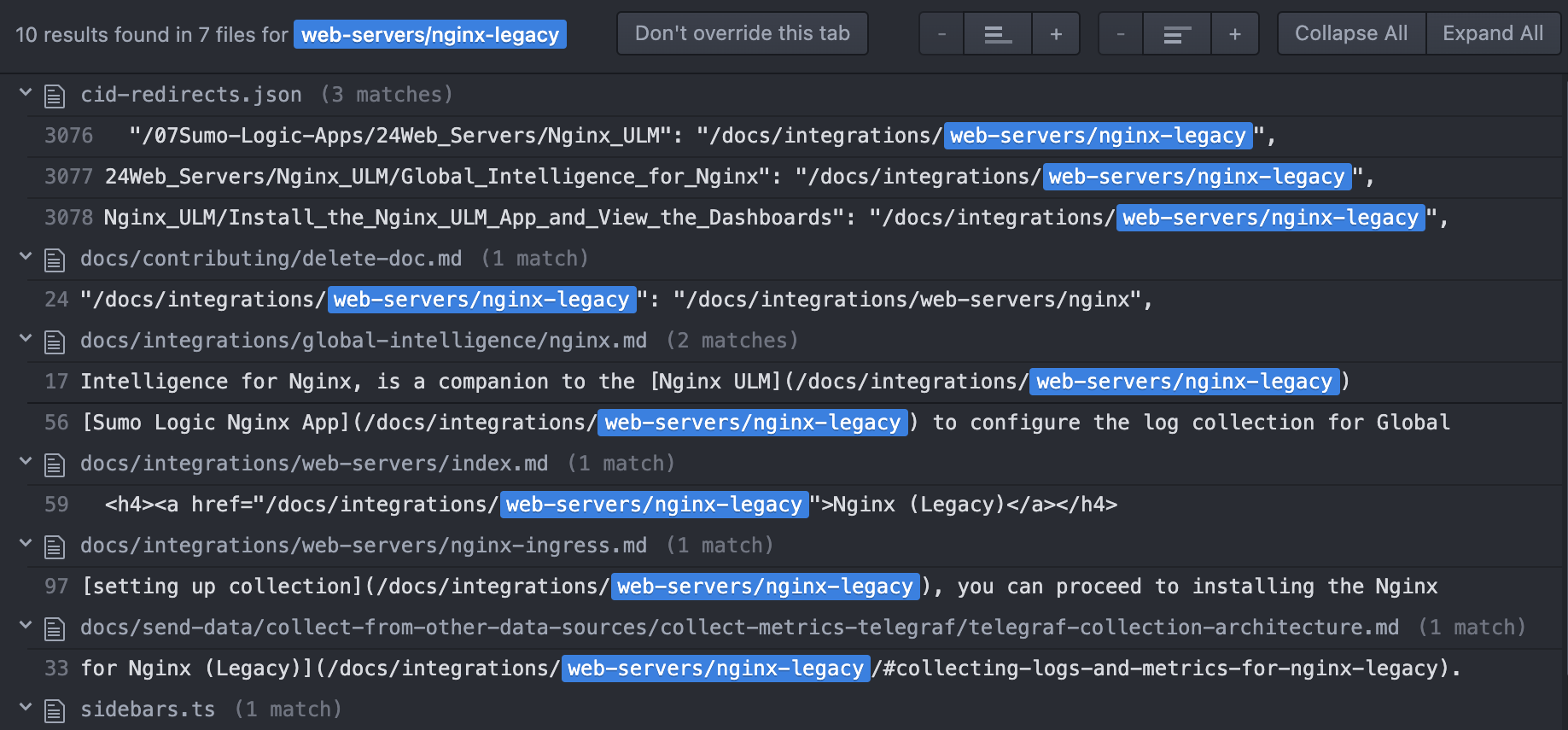
- In your GitHub authoring tool, run a search for the URL you're removing. For example, if the legacy URL appears in other documents, replace all instances with the new URL.
 warning
Never do a Find All > Replace All, as this can break unrelated items like image paths. Replace each URL on a one-by-one basis.
- If applicable:
- Remove from its parent index.md hub page.
- Remove from Product List.
Step 3: Delete the doc file
Delete the actual .md doc file from the repository (in this example, it'd be docs/integrations/web-servers/nginx-legacy.md).
Step 4: Remove doc from navigation
Remove the doc from the navigation menu (sidebars.ts file).
Step 5: Publish and test the redirect
Verify that the redirect works correctly and leads to the intended destination.
Optional steps
Add deprecation note
If you're deprecating one solution in favor of another (like in the above Nginx and Nginx (Legacy) example), you may also want to add a note in the new doc stating the legacy solution has been deprecated. Check with a subject matter expert to be sure.
Hide from search engine results
It can take months for an old URL to drop from Google search engine results. If you need to hide a page immediately from Google, open a GitHub Issue and provide the details for our site admin.
Exclude pages from the site build
You can prevent content from being indexed by excluding it from compilation entirely. Pages that aren't compiled into the build output won't appear on the live site or sitemap, so neither search engines nor internal site search can index them.
To exclude docs, add their paths to the docs.exclude setting in docusaurus.config.js:
presets: [
  [
    '@docusaurus/preset-classic',
    ({
      docs: {
        exclude: [
          '**/reuse/**',
          '**/ja/**',
        ],
      },
    }),
  ],
];
Any markdown files in the listed directories are excluded from the build and won't be served or indexed. Note that reuse files are still embedded where referenced — they just won't compile as standalone pages.
For finer-grained control — for example, keeping a page compiled but hidden from search — use robots.txt or noindex meta tags instead. If content should never be published at all, excluding it from compilation is the most reliable approach.
If a document has already been indexed and needs to be urgently removed from Google search results, follow Google's removal instructions.