 Meet the new
 Enrichments in Cloud SIEM
Enrichments add additional information to objects in Cloud SIEM.
Enrichments tab
You can view the results of enrichments in Cloud SIEM by navigating to the Enrichments tab (which will appear on the entity, signal, and insight details pages if there are any enrichments to display):
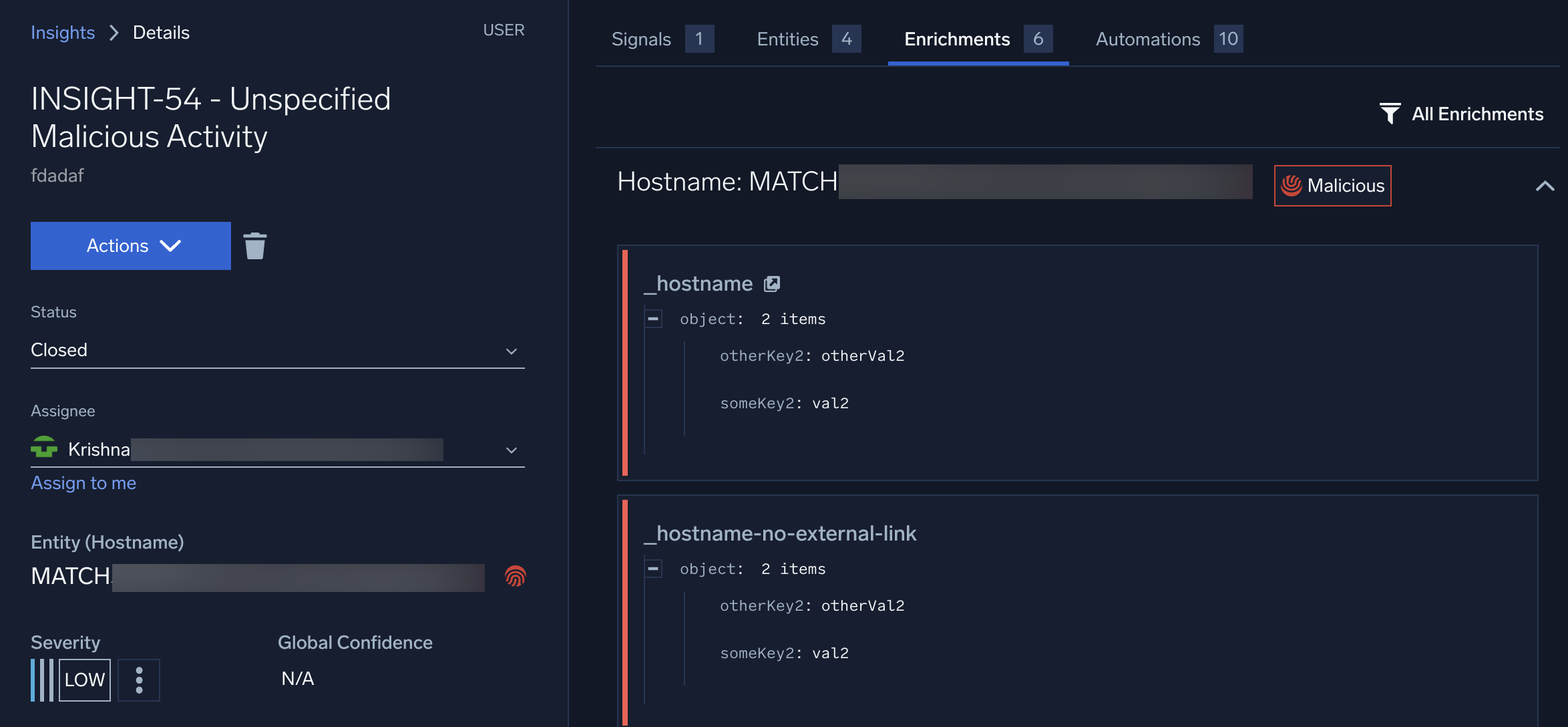
Keep in mind that:
- Enrichments are grouped by entity, not by enrichment source.
- Groups can be collapsed and expanded.
- The list can be filtered.
- Empty fields (fields with a null or empty value) can be optionally hidden.
- Links, if set by the enrichment, will be displayed and open in a new tab if clicked.
- Threat indicator labels, if set by the enrichment, will be displayed.
Enrichment attributes
The enrichment schema includes support for the following optional attributes:
expiresAt. Defines when the enrichment should be auto-deleted from Cloud SIEM (by default, enrichments will never be auto-deleted).externalUrl. Defines a link that will be displayed with an enrichment (for example, to include a link to the VirusTotal details page for this entity, put the link in this field).reputation. Associates a threat indicator with this enrichment data. The allowable values aremalicious,suspicious, andnotflagged. The default is not to display any reputation.
Enrichment size
There is a 1 MB limit on the size of enrichments attached to an entity. If too much data is contained in the enrichment, you may get an error.
To resolve the problem, reduce the enrichment content to a smaller payload:
- If the playbook generating the enrichment is attaching full objects (for example, full alert context in JSON), try selecting only the key fields needed for investigation.
- Instead of attaching raw results, extract and send only key indicators.
- If multiple enrichments are being added at once, consider breaking them into smaller chunks or prioritizing only the most relevant ones.