 Meet the new
 Sign Up and Activate Your Account
Sumo Logic offers two ways to try the platform. The Agentic Free Trial, available through the Sumo Logic website, is a 14-day sandbox trial built on preloaded example data so you can explore AI-powered security and observability features right away, with no setup or data ingestion required. A separate AWS Marketplace trial runs for 30 days and lets you ingest and analyze your own data. Sign up through the Sumo Logic website or the AWS Marketplace to get started.
Sign up through Sumo Logic
To start your Agentic Free Trial, head to the Sumo Logic Free Trial page and fill out the sign-up form with your business email, first and last name, and country, then click Send. No credit card is required.
You'll then get an email inviting you to Sumo Logic's shared trial environment. If you already have a Sumo Logic account, the email links you to activate access. If you're new to Sumo Logic, it links you to create a password and sign in.
After activating, confirm you're signed in at agenticplayground.sumologic.com and not an existing Sumo Logic account. If you sign up with an email address already tied to another Sumo Logic account, you may be routed to that account instead of the trial. If this happens, switch to the trial organization using multi-account access from the top right of the console.
What's included in your trial
The Agentic Free Trial runs for 14 days entirely on preloaded example data, so there's nothing to instrument and no data to wait on. During your trial, you get:
- View access to security and observability features, including Cloud SIEM. You can search logs, run investigations, and review insights, but you cannot manage settings or configurations.
- AI-powered agents, including the SOC Analyst Agent, which triages Tier-1 alerts end to end, and Mobot, which answers questions about your data in plain language.
- A few prebuilt dashboards from the App Catalog. You can create your own dashboards, but you cannot create other types of saved content, and you cannot share content with or view content from other trial users.
The Agentic Free Trial runs entirely on example data. You cannot ingest your own data during this trial. To try Sumo Logic with your own data, sign up through the AWS Marketplace or contact us.
After your trial ends
The Agentic Free Trial does not convert directly to a paid plan. You'll get reminder emails on day 7 and day 14 as your trial nears its end. To continue using Sumo Logic with your own data, contact Sales.
Sign up through AWS Marketplace
Signing up for a Sumo Logic account through the AWS Marketplace creates a new Sumo Logic organization and account with a 30-day trial that includes full access to ingest and analyze your own data. This is separate from the Agentic Free Trial described above, and it's not available for customers with existing Sumo Logic accounts.
To sign up through AWS Marketplace:
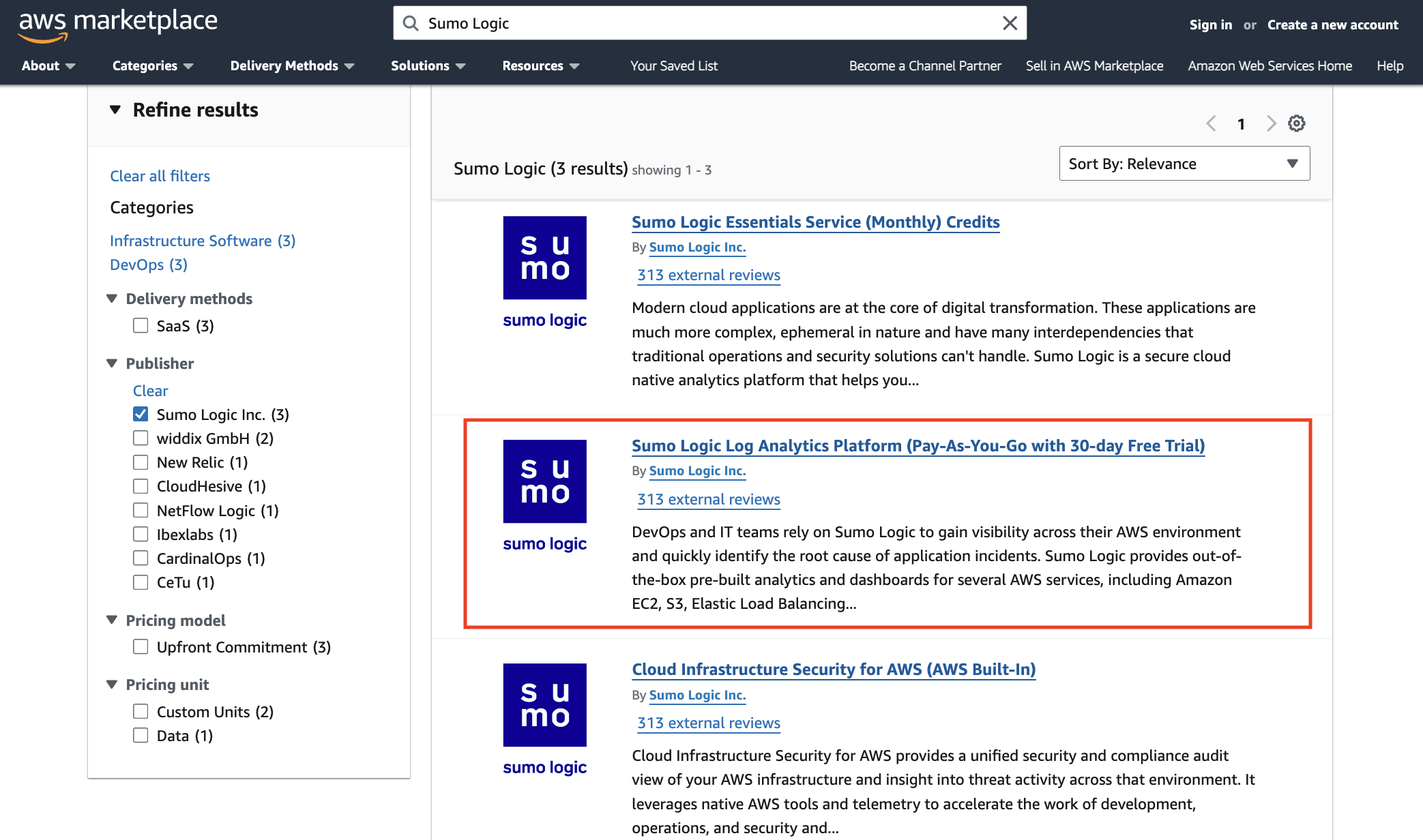
- Sign in to the AWS Marketplace, search for "Sumo Logic", and then click the subscription option of your choice. To sign up with an initial 30-day free trial, select Sumo Logic Log Analytics Platform (Pay-As-You-Go with 30-day Free Trial) highlighted below.
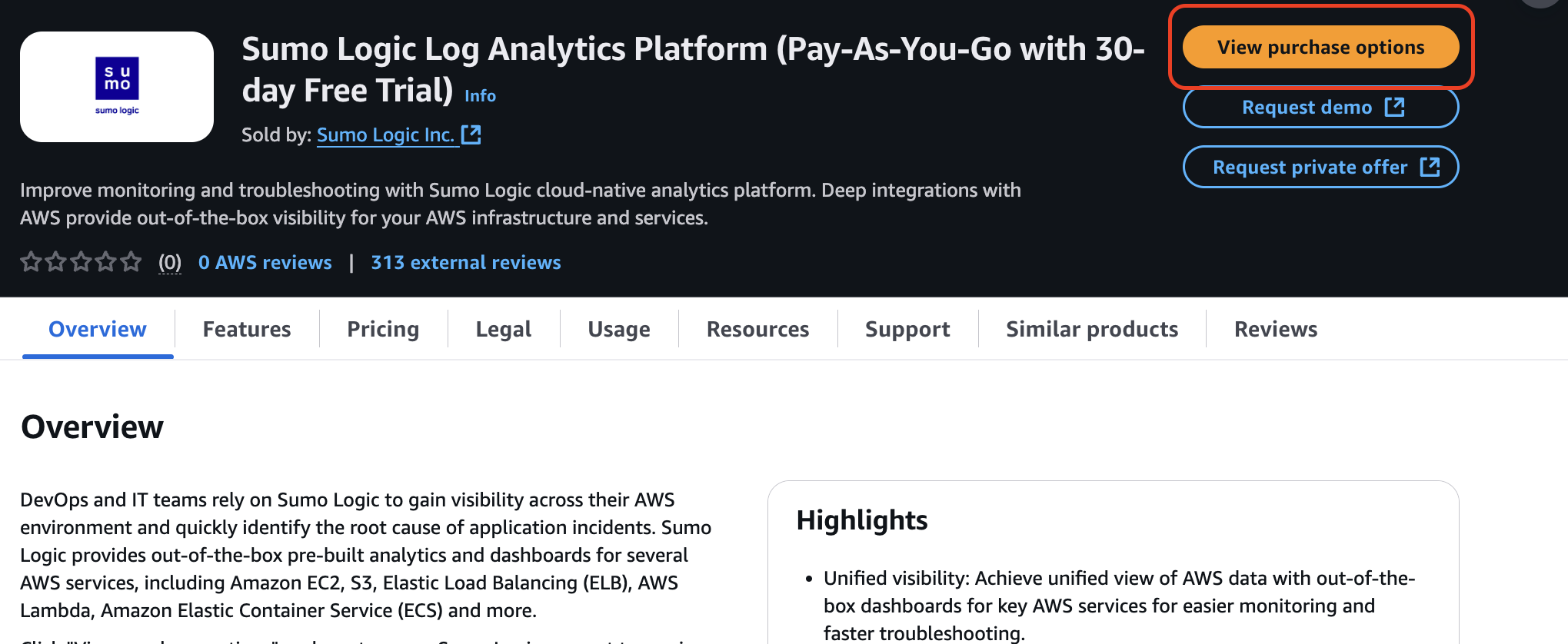
- Click View purchase options.
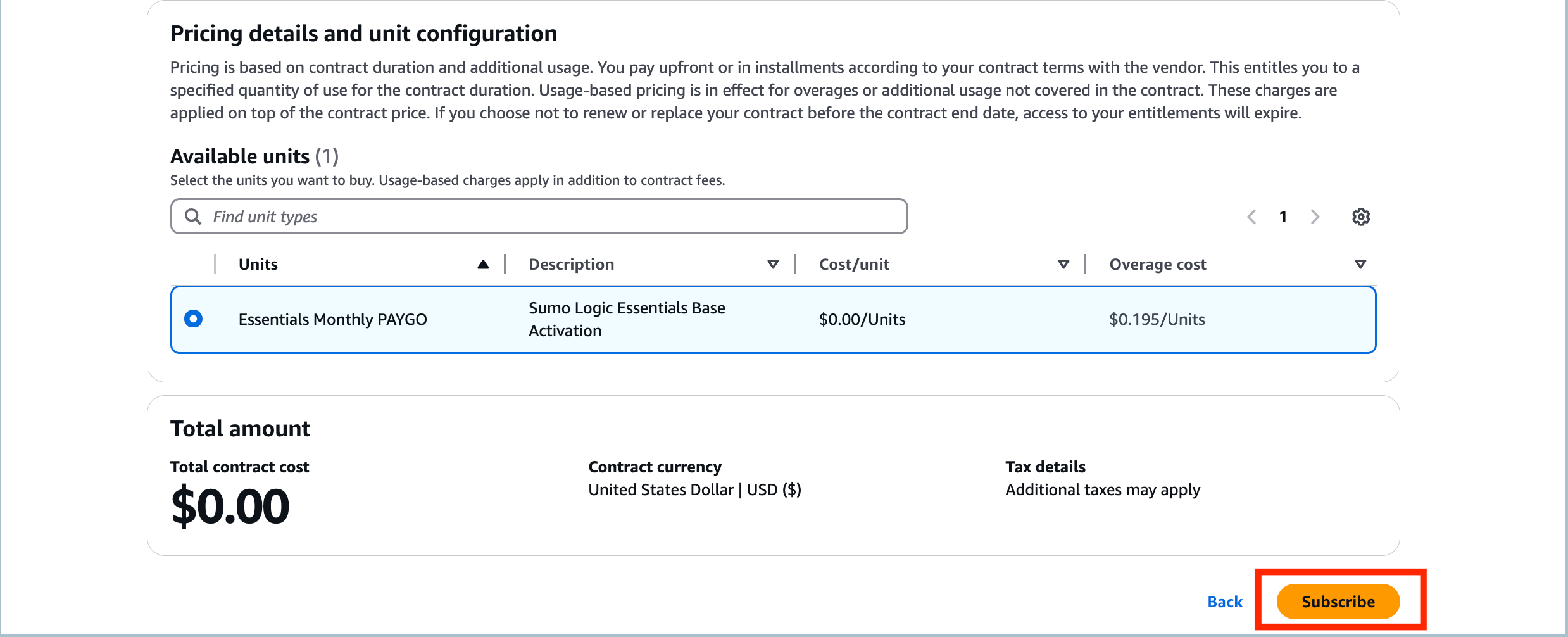
- Configure your free trial contract and click Subscribe.
- After the subscription finishes processing, you can set up your account.
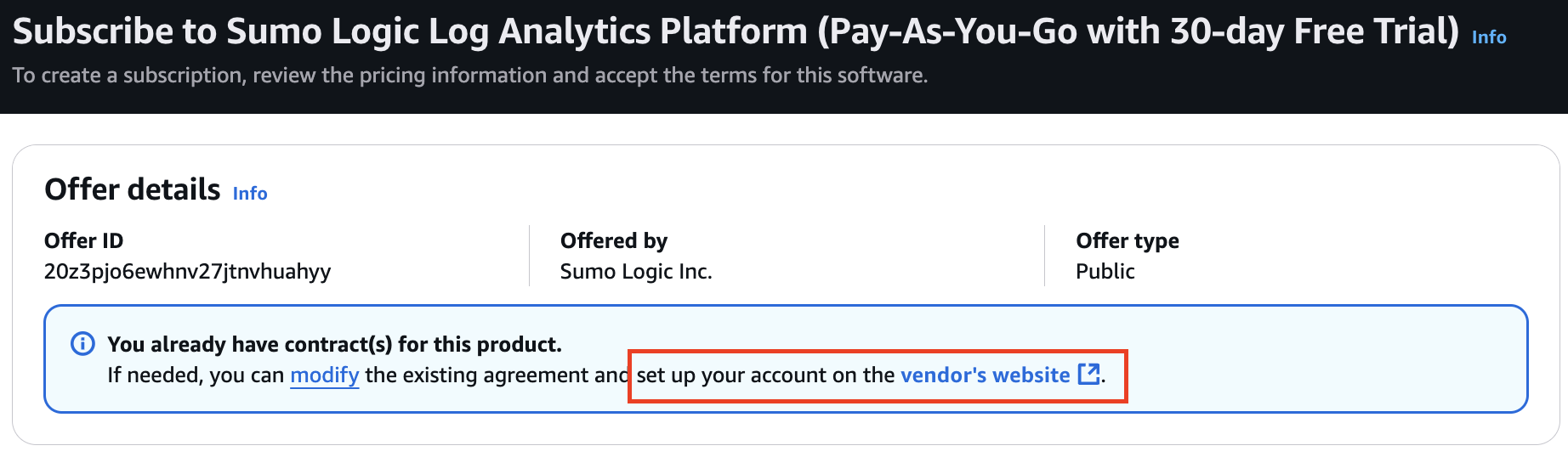
- You are redirected to Sumo Logic to complete your account creation:
- Email. Enter a business email address for your account (personal email addresses such as Gmail are not supported). If you have an existing Sumo Logic account, use a different email address. Signing up through AWS Marketplace requires a new email to create a separate Sumo Logic organization.
- Region. Select your region: North America, Europe, or Australia.
- Service License Agreement. Review and accept the Service License Agreement to proceed.
- Click Sign Up. Sumo Logic will send you an email to activate your account. Follow the instructions in the email to complete the activation process.
- At the end of the 30-day trial period for the Sumo Logic Log Analytics Platform (Pay-As-You-Go with 30-day Free Trial), the subscription converts to the paid subscription billed monthly based on actual usage.
Upgrade your account
Upgrading increases your reserved capacity to avoid overage charges. If upgrades are allowed for your AWS account, you can upgrade your active account directly from Sumo Logic.
- Payment is handled by Amazon. You do not need to provide any payment information.
- Upgrading increases your reserved Sumo Logic ingest volume, reducing the risk of overage charges.
- Account upgrades are independent from your AWS subscription.
To upgrade:
- Click Upgrade on the left navigation pane in Sumo Logic.
- The Upgrade button is visible if you have an active AWS account for which upgrades are permitted.
- On the upgrade request form, enter the Log Ingest level you want to upgrade to. Within 24 to 48 hours, your account will be updated to reflect the change. Once the account is upgraded, the AWS Marketplace will be notified of the change.
Billing
An account that is within its limits is defined as using Reserved Capacity. After your trial, if you've signed up for auto-renewal, you will be billed for your plan’s daily ingest data volume.
Each day, you can burst over the Reserved Capacity or ingest a lower amount, and at the end of the billing cycle, Sumo Logic computes the total amount for the actual usage during this time. If your actual usage exceeds the total Reserved Capacity for the billing cycle, you will be charged for usage for this difference at the on-demand rate.
The Total Reserved Capacity (usage) is: (the actual number of days in the billing cycle) X (plan daily ingest volume).
For example, for 10GB/Day:
- If the billing cycle is 30 days, the Reserved Capacity is 300GB.
- If the billing cycle is 31 days, the Reserved Capacity is 310GB.
Cancelling
To cancel an auto-renewal subscription, you can do this through the AWS Marketplace under Manage subscriptions.
What to expect after activation
What happens after activation depends on which trial you signed up for.
Agentic Free Trial
Once your account is activated, you'll land in a guided onboarding experience built entirely on preloaded example data, with no setup or data ingestion required. You can:
- Explore the SOC Analyst Agent and Mobot.
- Perform log searches, and visualize data through the prebuilt dashboards.
- Invite teammates and collaborate.
Because the trial runs on example data, there's no data collector to set up, and you cannot ingest your own data during the 14-day trial.
AWS Marketplace trial
Once your account is activated, you'll be guided through our personalized onboarding experience. Head to the Quickstart guide to begin your Sumo Logic journey.
You’ll walk through step-by-step instructions to:
- Explore Kickstart Data, preloaded with sample log data and dashboards so you can try out features immediately with no setup or ingestion required.
- Perform log searches, visualize data through dashboards, and test out real-time alerts.
- Install recommended apps from the App Catalog.
- Invite teammates and collaborate.
- Start ingesting your own data when you’re ready.
Whether you’re evaluating the platform or getting started for the first time, this hands-on experience is designed to help you quickly understand the value of Sumo Logic and get up and running with confidence.
Sign in to Sumo Logic
Once you're registered for an account, you can sign in using Google SSO, your email address and password, or—if configured by your organization—an identity provider.
Set up data collection
If you're on the AWS Marketplace trial or have upgraded to a paid plan, you can start collecting your own data. When you're ready to collect your own data:
- Choose your platform: AWS, Kubernetes, Linux, Windows, or macOS. This installs the OpenTelemetry collector and relevant dashboards.
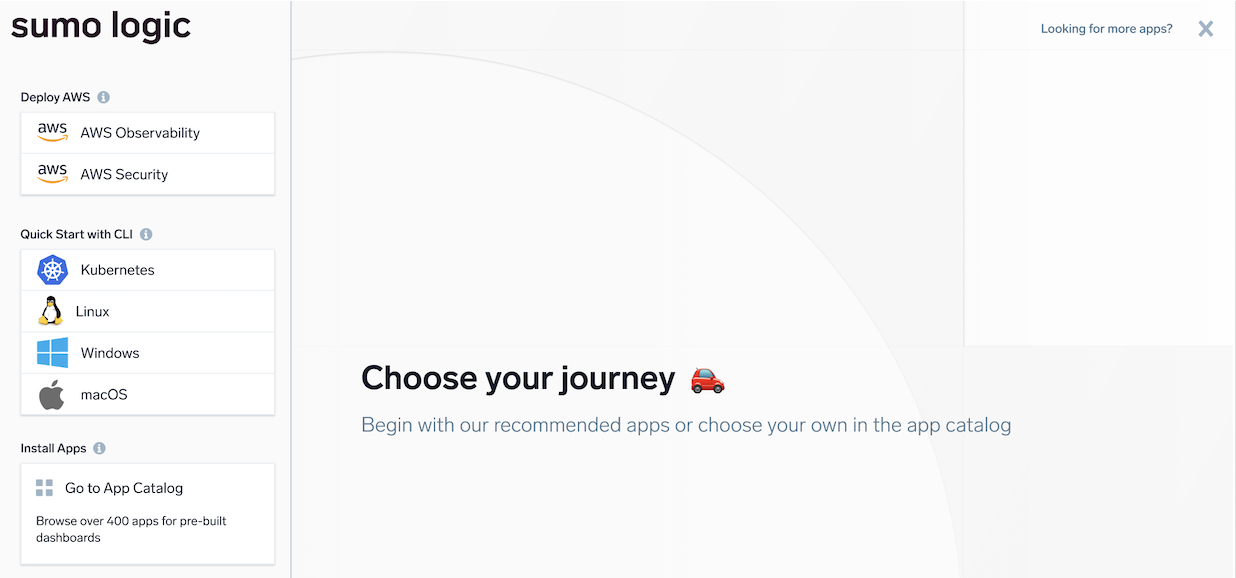
- For AWS, deploy a single account using a CloudFormation Template, CLI, or Terraform. For Kubernetes, Linux, Windows, or macOS, run the provided install command in your Terminal or PowerShell.
Once installation is complete, click Start using Sumo Logic. Your data will begin flowing within a few minutes, and you’ll be guided through a step-by-step onboarding to visualize data in dashboards, run log searches, set up alerts, and more.
Alternatively, you can skip setup and browse our App Catalog to explore prebuilt apps with guided installation.