Meet the new
fillmissing Metrics Operator
If a metric query returns results with empty time slices, the visualization contains a straight line between the data points on either side of the empty time slice(s).
You can use the fillmissing operator to fill empty time slices in metric query results with a derived data point. You can choose between several methods of deriving a data point, or leave empty timeslices empty.
Syntax
fillmissing [using] <policy>
Where <policy> is one of:
empty. No data point is derived, and the visualization is discontinuous.interpolation. The derived data point is a linear interpolation of the data points prior to and after the empty time slice(s).last. The derived data point is the same value as the previous data point.<fixed>. With this option, you supply a fixed value, for example “50”, and the derived data point will have that value.
Examples
Query without fillmissing
The chart in this section shows metric query results without the fillmissing operator.
_sourceCategory=Labs/VMWare6.5/Metrics hostname=thisveryhost metric=cpu_ready
fillmissing empty
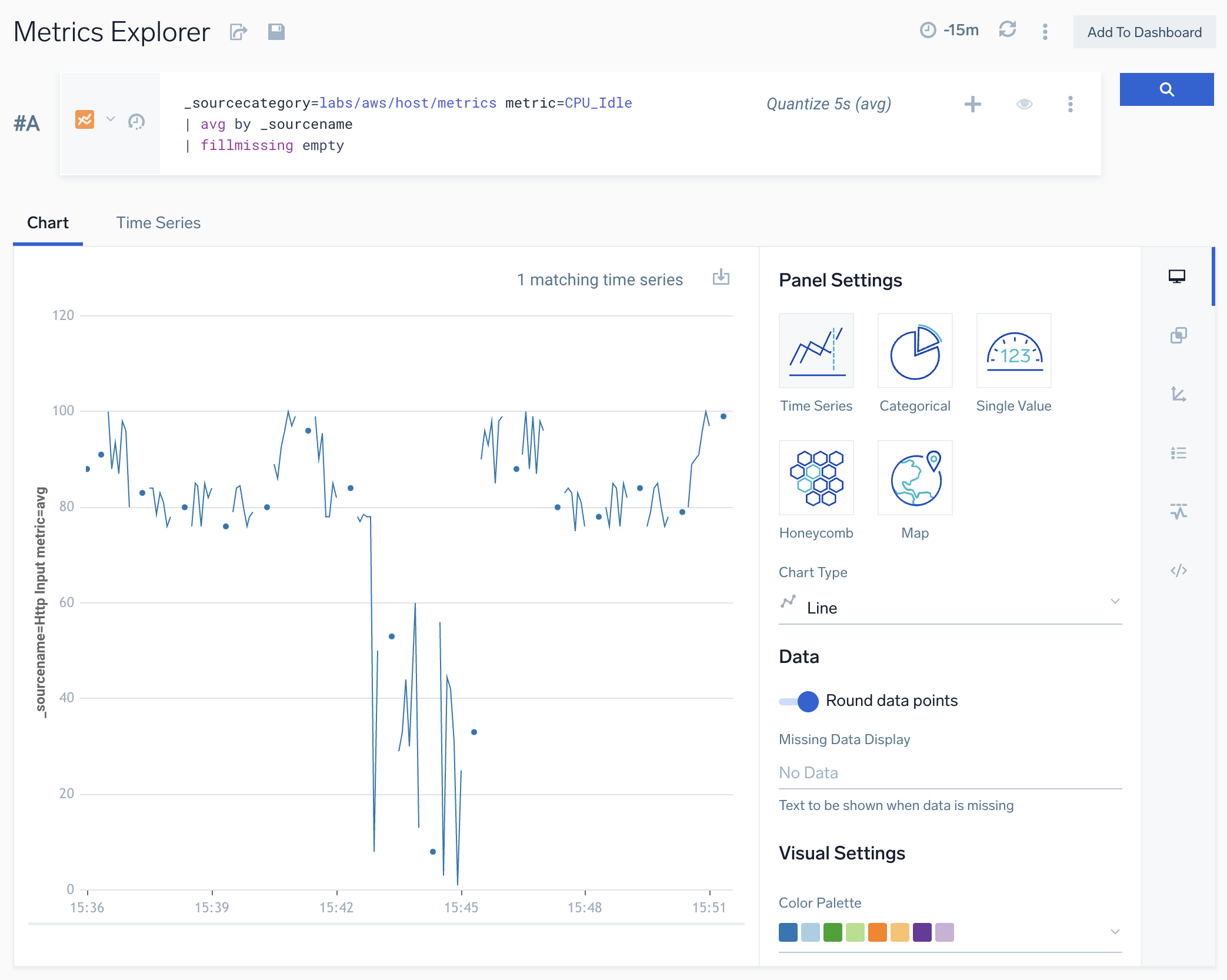
The chart in this section shows metric query results with the fillmissing operator with the empty option. Note that empty time slices are not filled with a derived data point.
_sourceCategory=labs/aws/host/metrics metric=CPU_Idle
| avg by _sourcename
| fillmissing empty
fillmissing interpolation
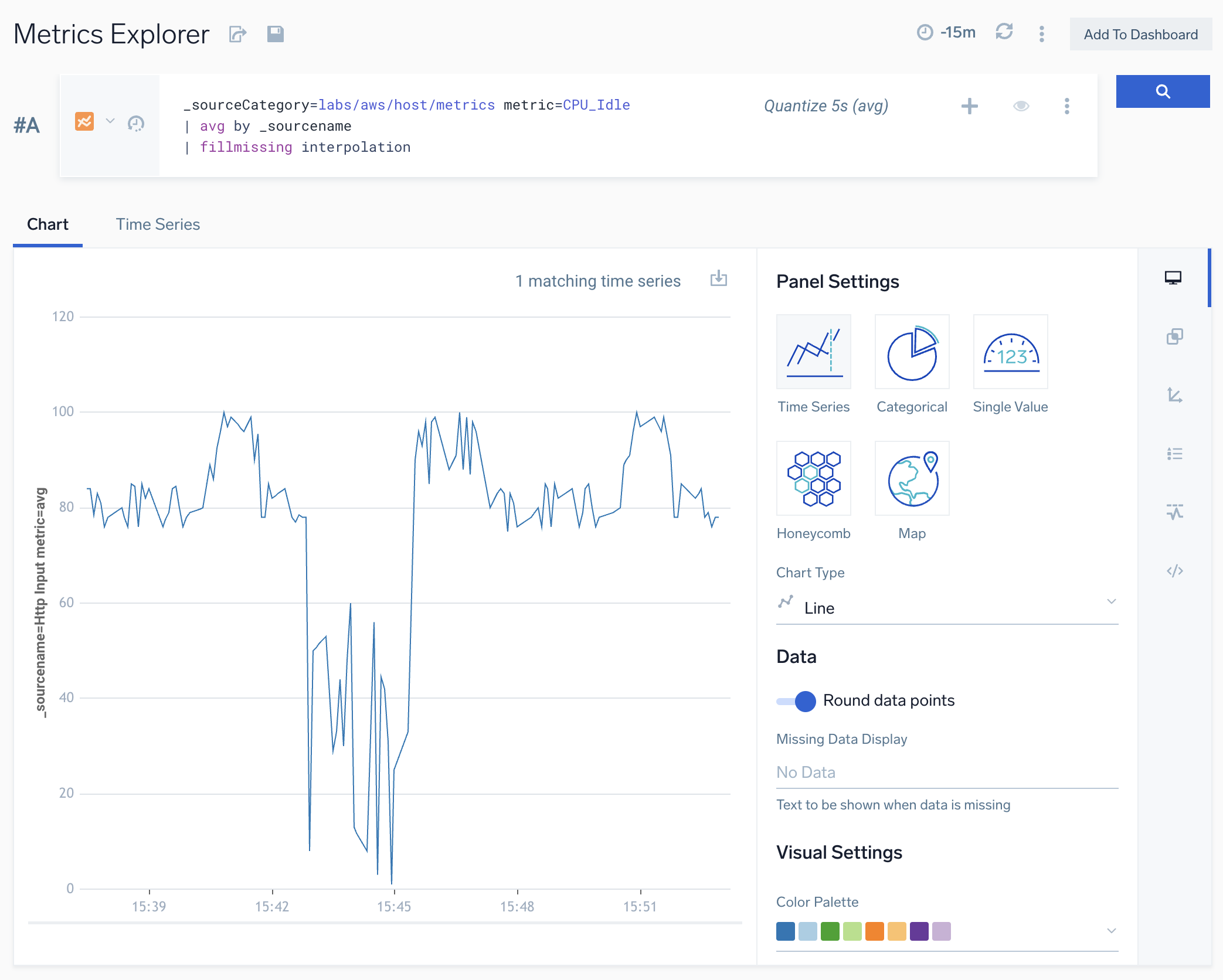
The chart in this section shows metric query results with the fillmissing operator with the interpolation option. Note that empty time slices are filled with a derived data point whose value is a linear interpolation of the data points prior to and after the empty time slice.
_sourceCategory=labs/aws/host/metrics metric=CPU_Idle
| avg by _sourcename
| fillmissing interpolation
fillmissing last
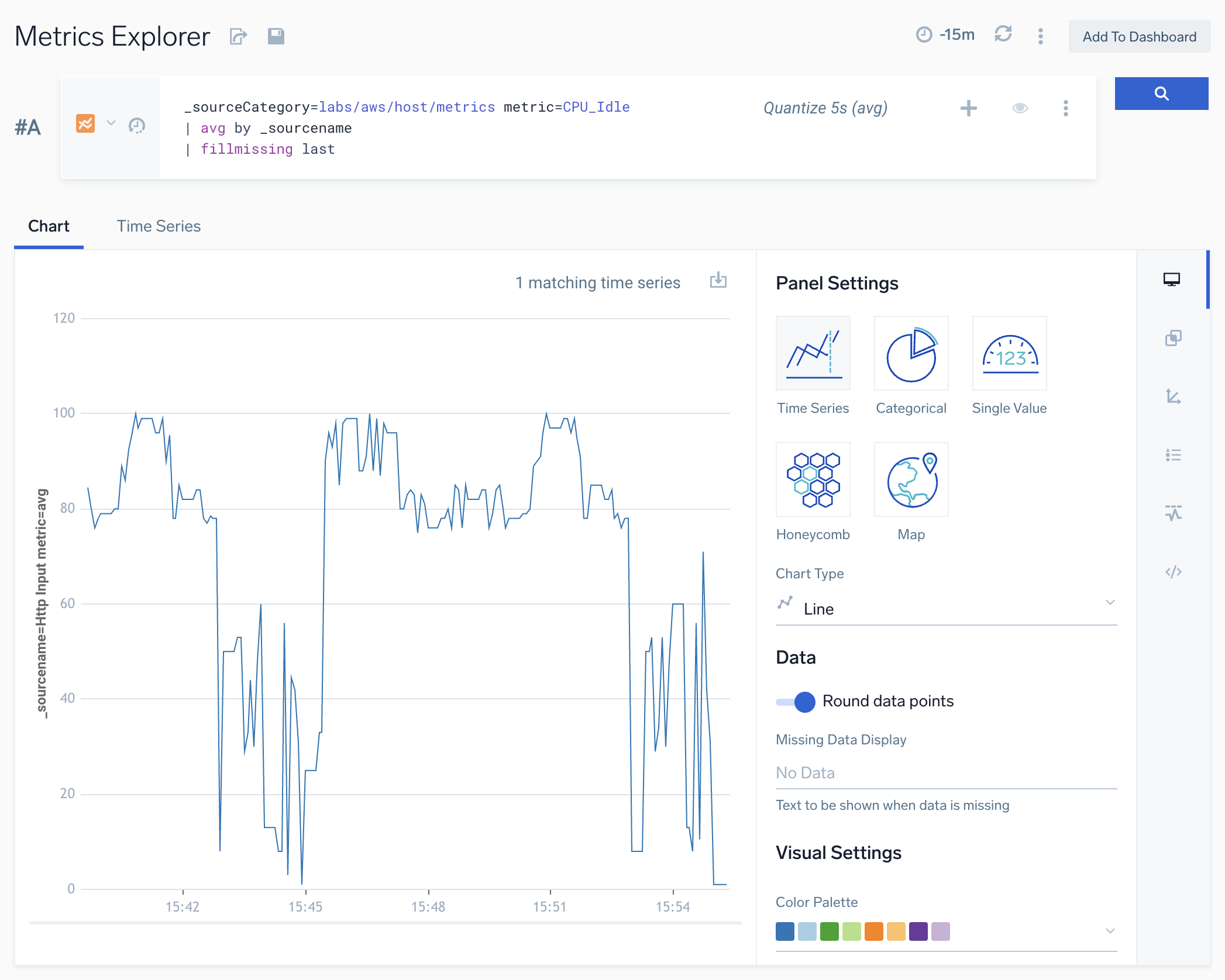
The chart in this section shows metric query results with the fillmissing operator with the last option. Note that empty time slices are filled with a derived data point whose value is the value of the metric from the previous time slice.
_sourceCategory=Labs/VMWare6.5/Metrics hostname=thisveryhost metric=cpu_ready | fillmissing last
fillmissing with fixed value
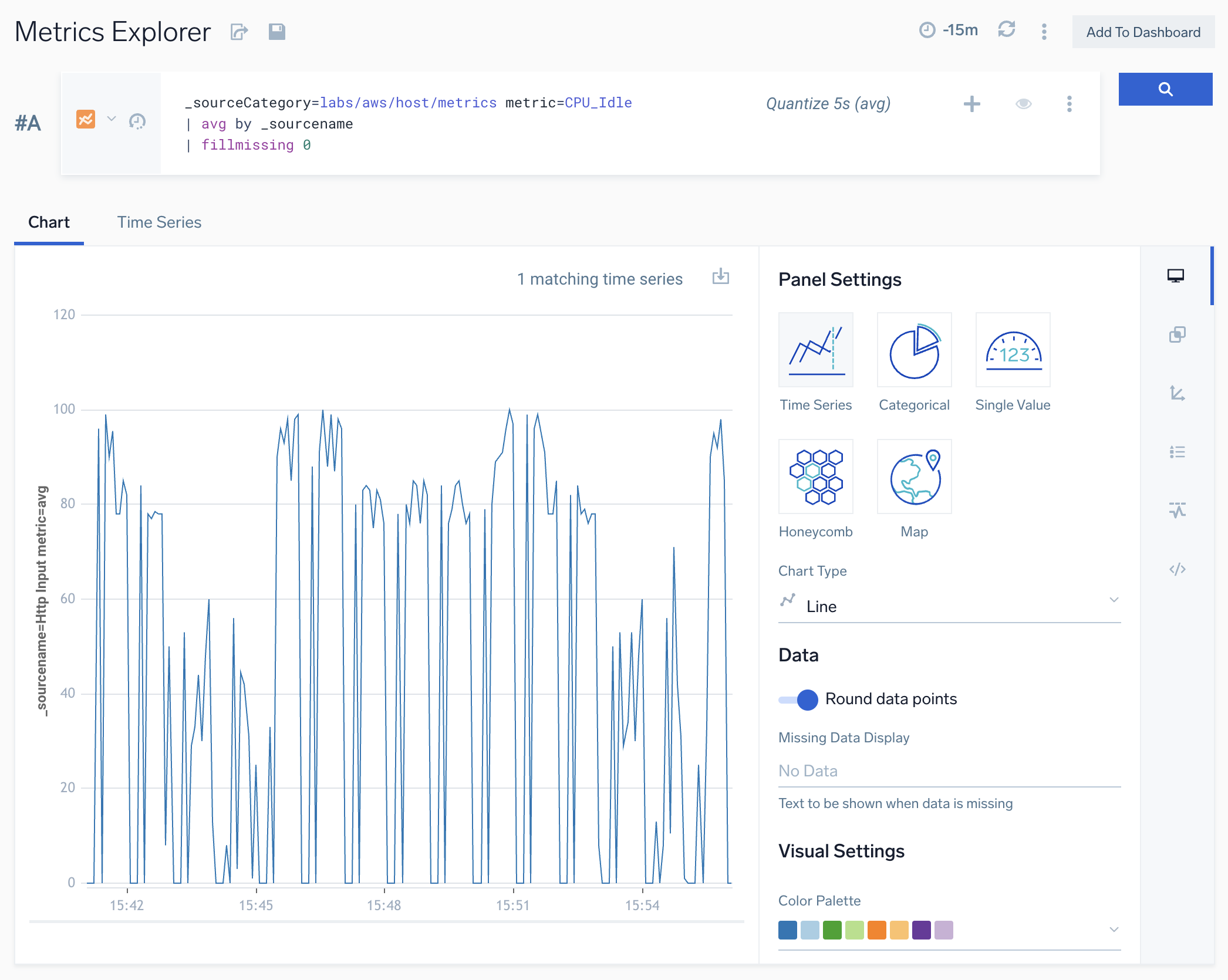
The chart in this section shows metric query results with the fillmissing operator with a constant value of 0. Note that empty time slices are filled with a data point whose value is 0.
_sourceCategory=labs/aws/host/metrics metric=CPU_Idle
| avg by _sourcename
| fillmissing 0