 Meet the new
 Update the AWS Observability Stack with CloudFormation
Use a new version or the same version of the AWS CloudFormation template to update an existing stack.
Before starting with the stack update, make sure no resource has been deleted manually as it can lead to failures in the stack update procedure.
To update an existing stack to the latest version:
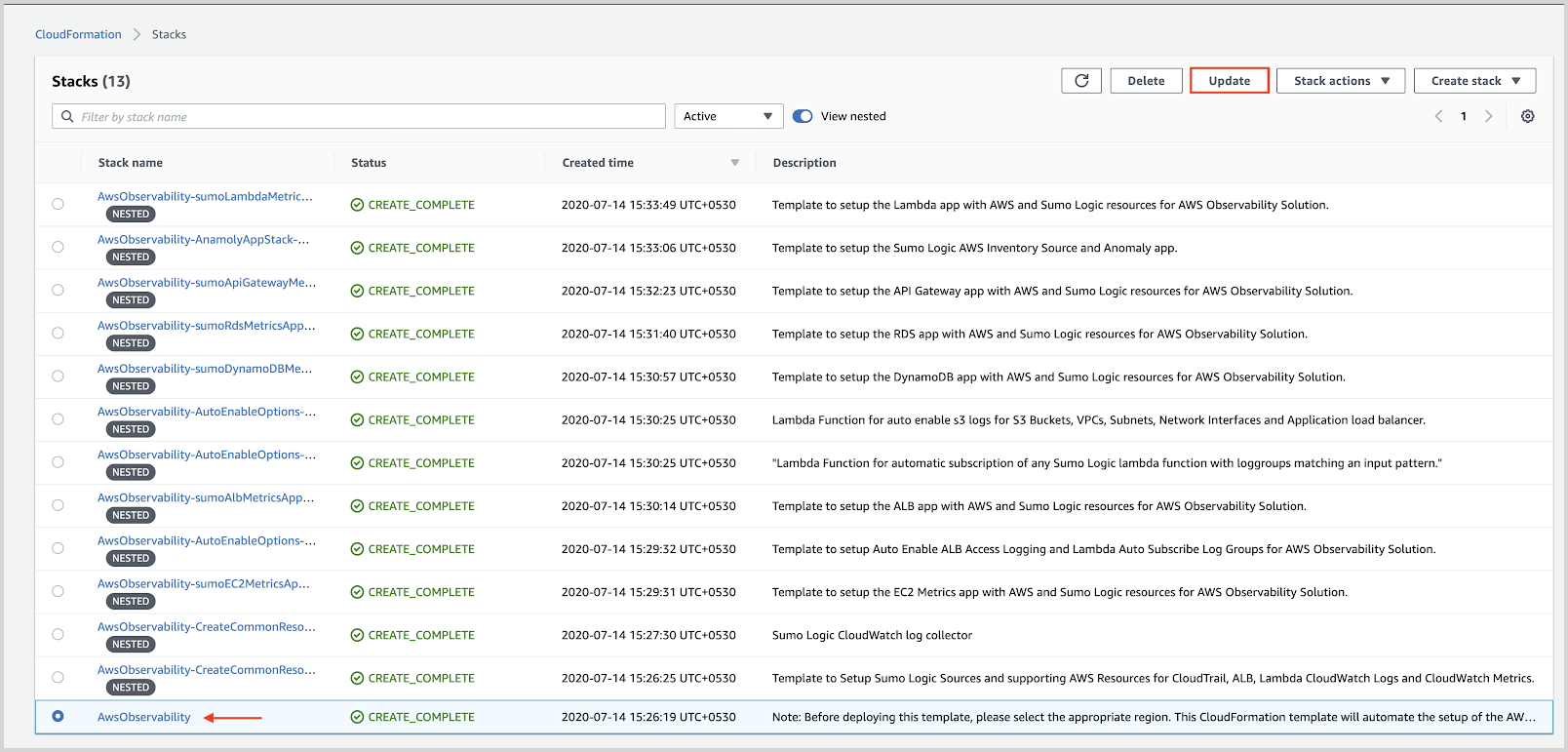
- Locate the Main Stack created using the AWS CloudFormation template and click Update.
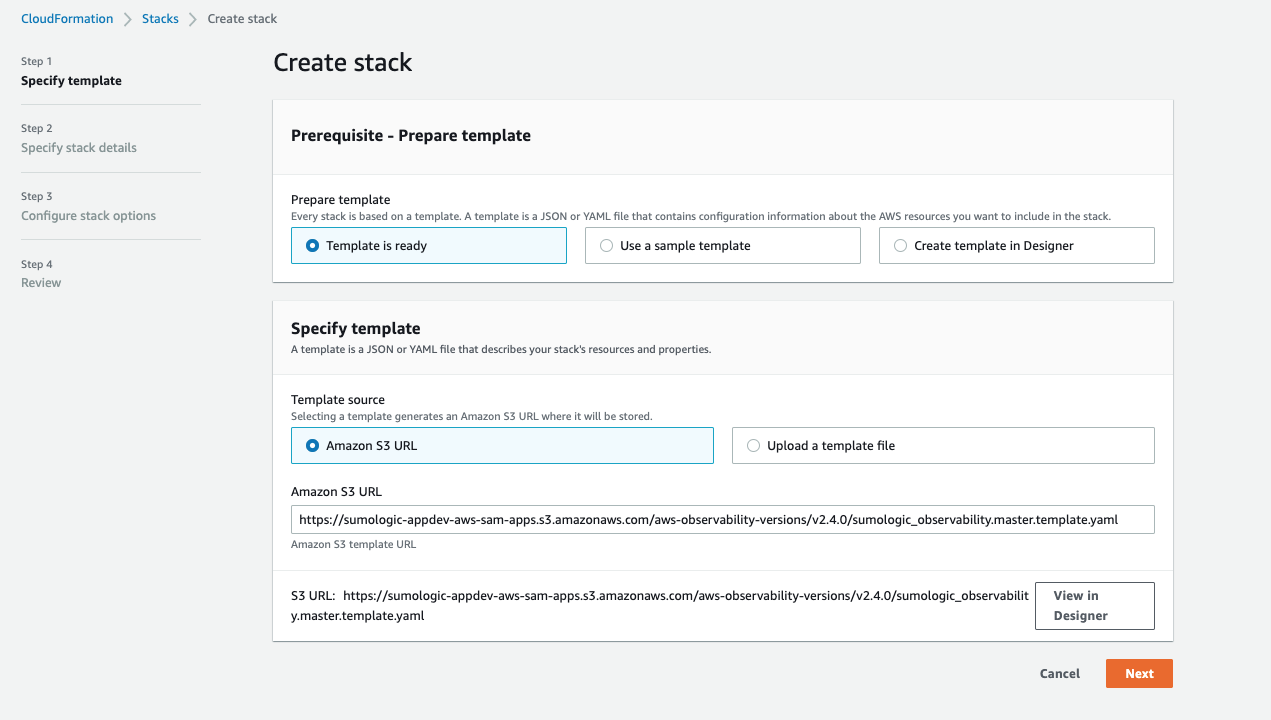
- Select Replace Current Template, paste the CloudFormation template URL in the Amazon S3 URL option, and then select Next.
For the latest CloudFormation template URL, see Deploy with CloudFormation Template. If you would like to download or inspect other versions, visit the Changelog page.
- Keep parameters that you selected before when you created the stack and click Next.
- Review all the changes listed on the Change Set Review and make sure you're comfortable with these changes.
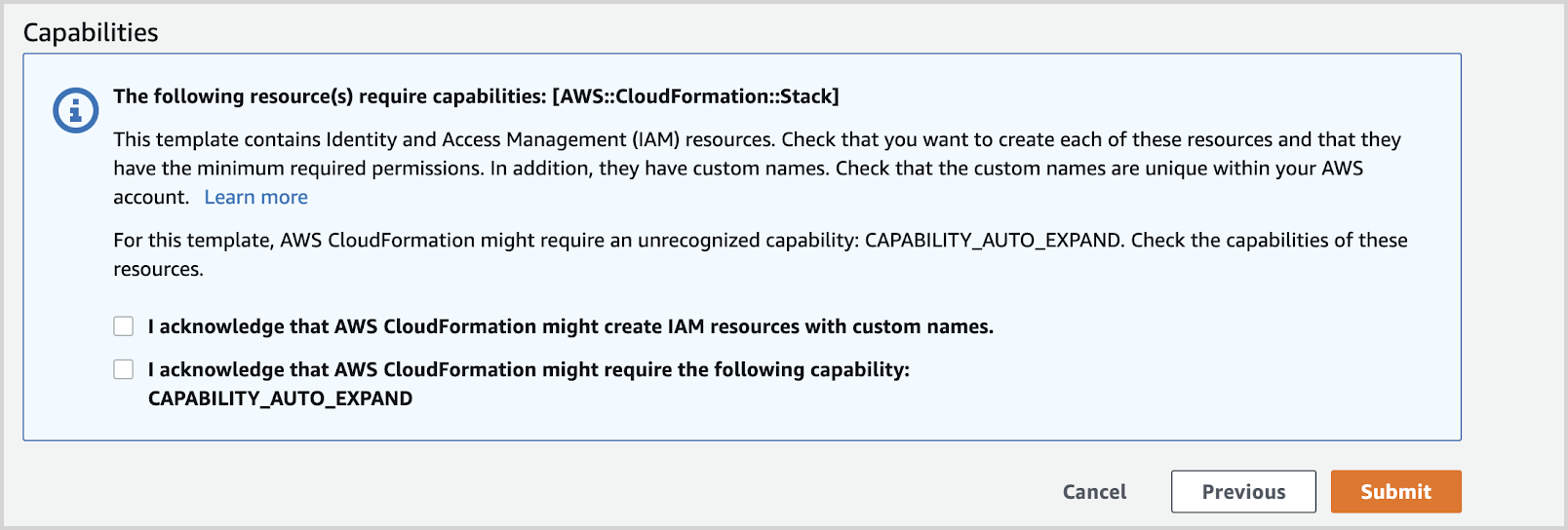
- Select the capabilities and Click Submit.
- After the update is complete, the stacks that have been updated successfully will be set to a
UPDATE_COMPLETEstatus.