 Meet the new
 Add a Saved Search to Favorites
On the Search page, you can mark a saved search as a favorite by clicking the star icon. When you save a search as a favorite, it will appear in the Library on the Favorites tab.
info
A search must be saved to be marked as a favorite.
There is a limit of 20 favorite items per user.
Mark a saved search as a favorite:
-
On the Search page, do one of the following:
- Run a new search and save it.
- Run a saved search from the Library.
-
Click the three-dot kebab icon and click Favorite from the provided options.
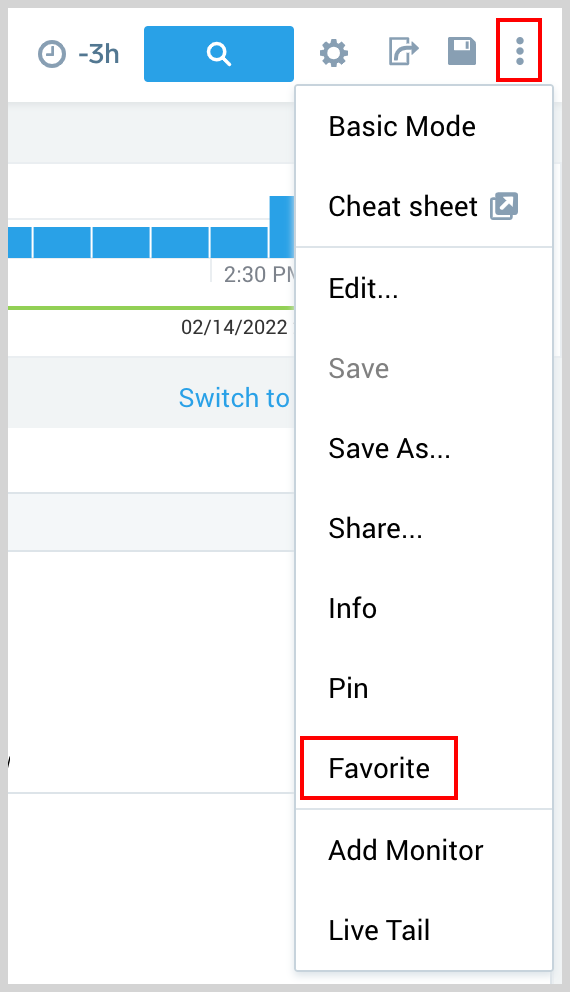
The saved search will now appear in the Library on the Favorites tab.