 Meet the new
 Sumo Logic Threat Intelligence
Threat intelligence is information that helps you prevent or mitigate cyber attacks.
To access Threat Intelligence in Sumo Logic,
- New UI. In the main Sumo Logic menu, navigate to Data Management > Threat Intelligence. You can also click the Go To... menu at the top of the screen and select Threat Intelligence.
- Classic UI. In the main Sumo Logic menu, select Manage Data > Threat Intelligence.
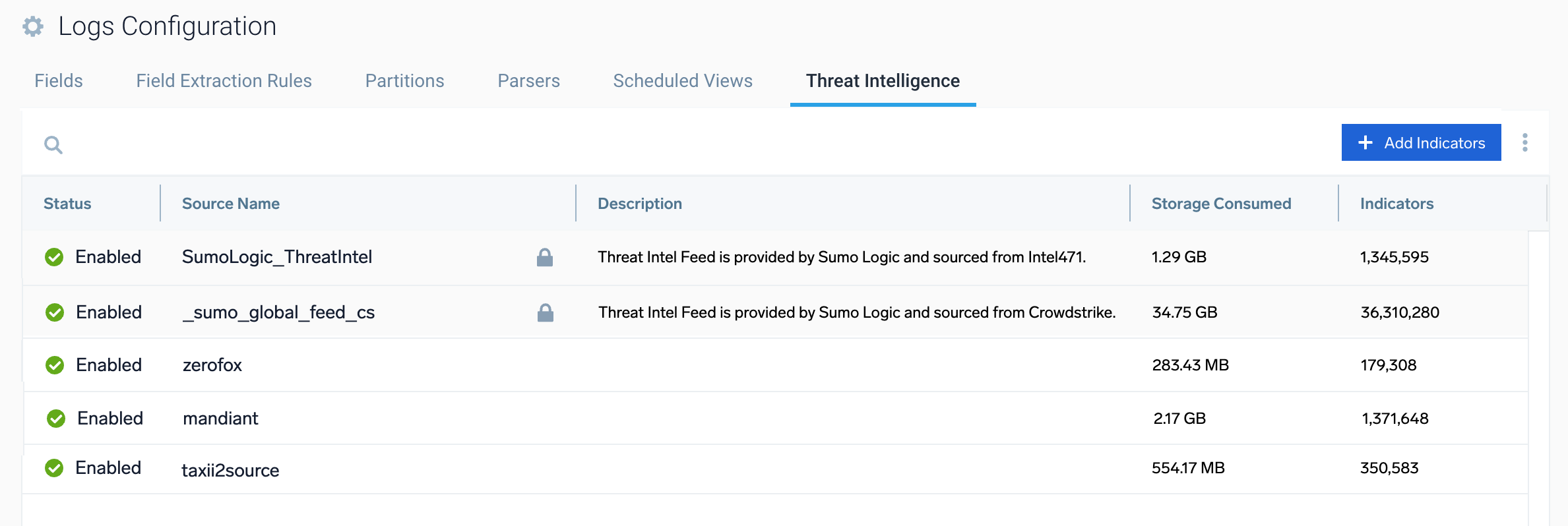
The Threat Intelligence section includes the following:
- Sources. Configure and manage your threat intelligence sources.
- Indicators. View and manage threat intelligence indicators ingested from your sources.
See the following articles to learn about Sumo Logic's threat intelligence capabilities.

About Threat Intelligence
Get an overview of Sumo Logic's threat intelligence capabilities.
Find Threats with Cloud SIEM
Learn how to use threat indicators in Cloud SIEM.
Find Threats with Log Queries
Learn how to perform searches to find matches to data in threat intelligence indicators.
Manage Threat Intelligence Indicators
Learn how to add and manage indicators from threat intelligence sources.
Upload Formats for Threat Intelligence Indicators
Learn how to format upload files containing threat intelligence indicators.
Threat Intelligence Mapping
Learn about the mapping of threat intelligence schema from vendor sources to Sumo Logic schema.
Global Feed from CrowdStrike
Learn about Sumo Logic's threat intelligence feed of indicators from CrowdStrike.
Sumo Logic Threat Intel Source
Learn about Sumo Logic's threat intelligence feed of indicators.