 Meet the new
Find Threats with Log Queries
Use the threatlookup search operator
To search threat intelligence indicators in your log data, use the threatlookup search operator. It matches field values in your logs against indicators in your threat intelligence sources, including Sumo Logic-managed sources and custom sources you've added.
Compared to lookup and threatip, threatlookup:
- Searches all of your threat intelligence sources, or a single source you specify with
source="<source_name>". - Matches multiple kinds of indicators, not only IP addresses.
- Returns normalized indicator fields, such as
_threatlookup.confidence,_threatlookup.threat_type, and_threatlookup.source.
For example, this query returns the single best match for each srcDevice_ip value and keeps only high-confidence matches:
=sec_record*
| threatlookup singleIndicator srcDevice_ip
| where _threatlookup.confidence > 50
| where !isNull(_threatlookup.source)
| timeslice 1h
| count by _timeslice
To search a specific source, such as a custom source named mysource:
=sec_record*
| threatlookup source="mysource" srcDevice_ip
| where _threatlookup.confidence > 50
For syntax, response fields, and more examples, see threatlookup Search Operator.
threatlookup supersedes the threatip operator. For new queries, use threatlookup.
Use the lookup search operator
The Sumo Logic threat intelligence sources in the threat intelligence datastore contain threat indicators supplied by third-party intel vendors and maintained by Sumo Logic: 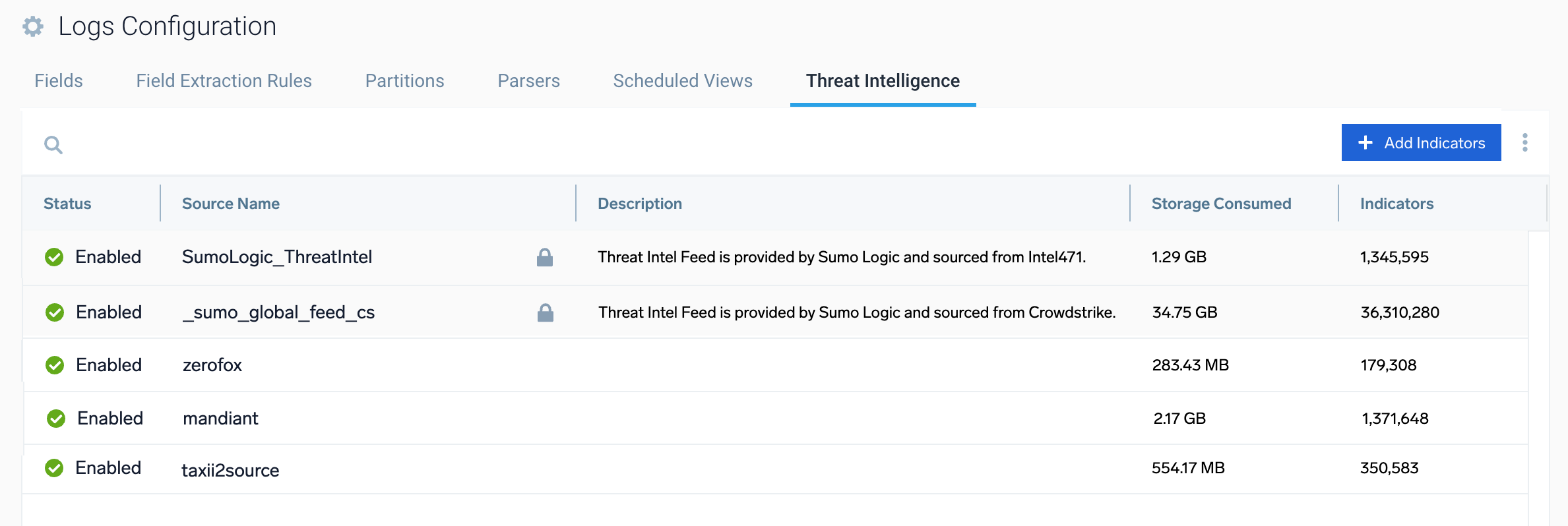
Any Sumo Logic user can use the lookup search operator to point to a Sumo Logic threat intelligence source to search for potential threats:
SumoLogic_ThreatIntel. Usesumo://threat/i471in log search queries._sumo_global_feed_cs. Usesumo://threat/csin log search queries.
For example:
=cylance "IP Address"
| parse regex "(?<ip_address>\b\d{1,3}\.\d{1,3}\.\d{1,3}\.\d{1,3})"
| where !isNull(ip_address)
| where ip_address != "0.0.0.0" and ip_address != "127.0.0.1"
| lookup type, actor, raw, threatlevel as malicious_confidence from sumo://threat/i471 on threat=ip_address
For more information, see Threat Intel optimization in the Threat Intel Quick Analysis article.
You can only use the lookup operator to search using the Sumo Logic threat intelligence sources. To search other threat intelligence sources in your datastore, use the threatlookup operator.
All the dashboards in the Threat Intel Quick Analysis app use the Sumo Logic threat intelligence sources to find threats. To see the queries, open a dashboard in the app, click the three-dot kebab in the upper-right corner of the dashboard panel, and select Open in Log Search. You can copy these queries and use them as templates for your own queries to find threats.
Use the threatip search operator
To find threats using IP addresses, use the threatip search operator. This operator uses sumo://threat/cs in log search queries to correlate data in the _sumo_global_feed_cs threat intelligence source.
The threatip operator is limited to IP addresses and the CrowdStrike source. To search multiple sources and indicator types, use the threatlookup operator instead.
For more information, see threatip Search Operator.