Edit a Source
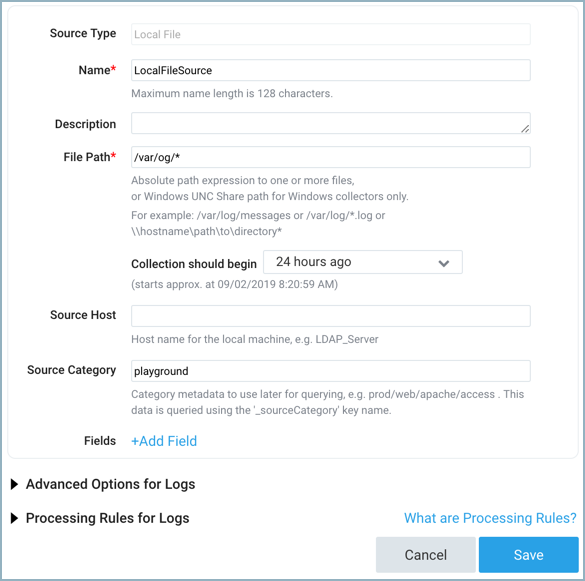
From the Manage Collection page, you can edit characteristics of a Source, including its name, description, Collection time, Source Host, Source Category, Advanced options, and Processing Rules.
info
Changes to metadata are applied to messages going forward from this point in time, and aren't applied retroactively.
If local file configuration management is enabled for the Collector, Source editing is disabled.
To edit a Source:
- New UI. In the Sumo Logic main menu select Data Management, and then under Data Collection select Collection. You can also click the Go To... menu at the top of the screen and select Collection.
Classic UI. In the main Sumo Logic menu, select Manage Data > Collection > Collection. - Click the Source name, or click the Edit link to the right of the Source name.
- Change the name or change the metadata fields as needed. For details on configuration options, refer to your source type in Sources.
- Click Save to apply your changes.