Install OpenTelemetry Collector on Ansible

This documentation will guide you through the installation process using the software configuration management tool Ansible, enabling you to deploy and manage Sumo Logic collectors at scale.
- New UI. In the Sumo Logic main menu select Data Management, and then under Data Collection select OpenTelemetry Collection. You can also click the Go To... menu at the top of the screen and select OpenTelemetry Collection.
Classic UI. In the main Sumo Logic menu, select Manage Data > Collection > OpenTelemetry Collection. - On the OpenTelemetry Collection page, click Add Collector.
- On the left panel, select Ansible.
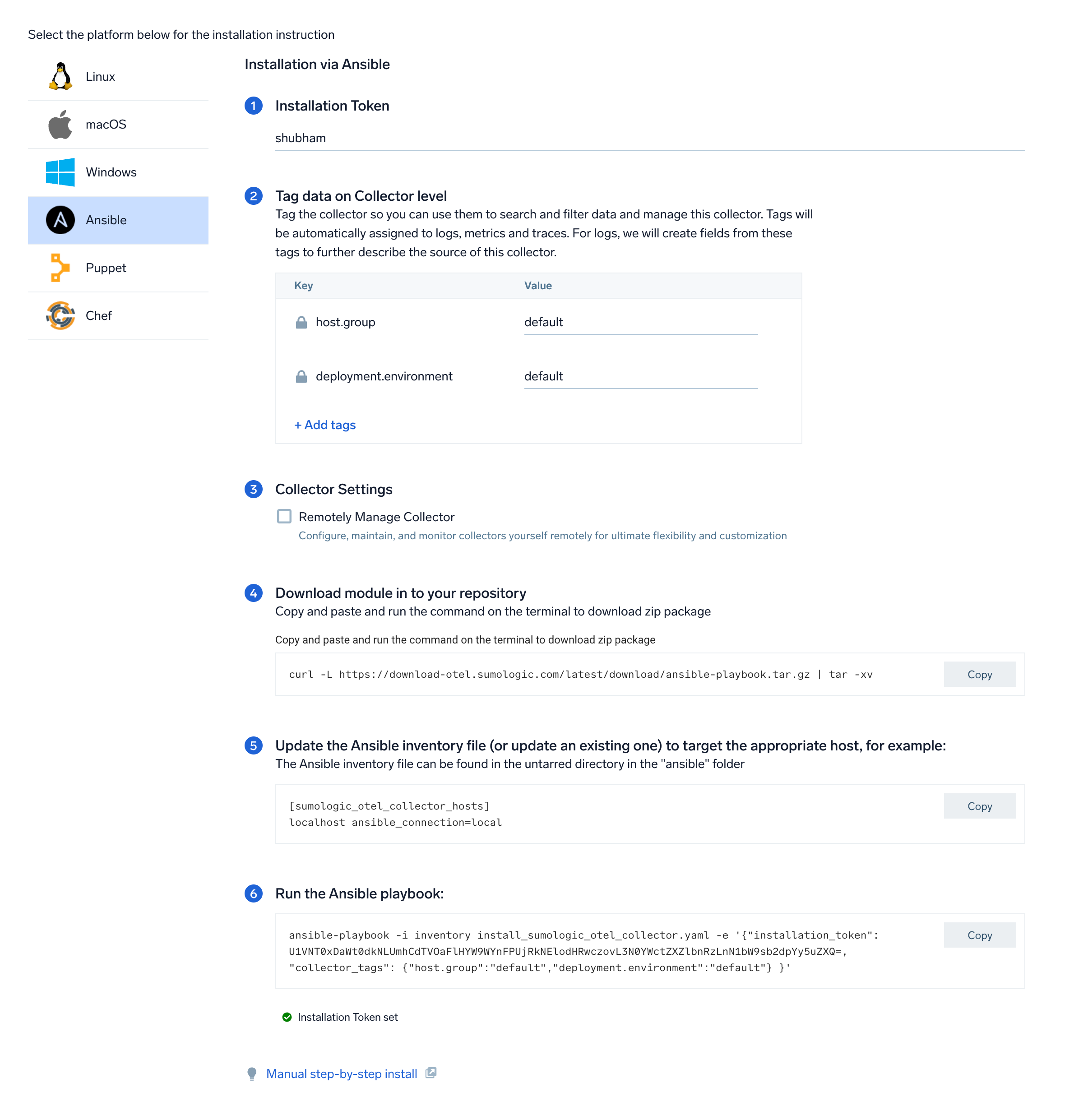
- Select/create installation token and customize your tags.
- (Optional) Select the Remotely Manage Collector checkbox to enable remote management of your collector.
- Under Download module in to your repository, copy, paste, and run the command on the terminal to download the zip package.
- Follow the auto-generated steps to install the collector using Ansible.
note
These steps are supported on both Linux and Windows operating systems.
- Once steps are completed, click Done to review the collector on the OpenTelemetry Collection page.
- On the next screen, you will see a list of available Source Templates. Select the required Source Template and proceed with the data configuration.
If you choose to close this Source template creation screen, you can navigate back. New UI. In the Sumo Logic main menu select Data Management, and then under Data Collection select Source Template.
Classic UI. In the main Sumo Logic menu, select Manage Data > Collection > Source Template.