---
title: Atlassian Jira Cloud
description: ''
slug: /help/docs/integrations/automation-integrations/atlassian-jira-cloud/
canonical: https://www.sumologic.com/help/docs/integrations/automation-integrations/atlassian-jira-cloud/
---
import useBaseUrl from '@docusaurus/useBaseUrl';
 ***Version: 1.6.0
Updated: October 7, 2026***
[Jira cloud](https://developer.atlassian.com/cloud/jira/platform/) is a proprietary issue tracking product developed by Atlassian that allows bug tracking and agile project management.
:::note
This integration uses the [Jira REST API v3](https://developer.atlassian.com/cloud/jira/platform/rest/v3/intro/#about).
:::
## Actions
* **Add Comment to Issue** *(Notification)* - Add a comment to the specified issue.
* **Create Issue** (*Notification*) - Create a new issue in the specified Jira project.
* **Delete Issue** (*Containment*) - Delete the specified issue.
* **Get Issue** *(Enrichment)* - Returns the details for an issue.
* **Get Issue Comments** *(Enrichment)* - Get the comments of issue.
* **List Issue Fields** *(Enrichment)* - List the issue fields.
* **List Issue Transitions** *(Enrichment)* - Returns either all transitions or a transition that can be performed by the user on an issue, based on the issue's status.
* **List Issue Types** *(Enrichment)* - List the types of issue.
* **List Projects** *(Enrichment)* - List the current projects.
* **List Statuses** *(Enrichment)* - Returns a list of the statuses.
* **List Users** *(Enrichment)* - Returns a list of all users.
* **Search Into Issues** *(Enrichment)* - Search Jira Issues.
* **Update Issue** (*Notification*) - Update the specified issue field with the specified value.
* **Issues Jira Daemon** *(Daemon)* - Daemon to pull Jira issues.
## Using playbook outputs in Create Issue and Update Issue
The **Create Issue** and **Update Issue** actions support HTML content in the **Description** field. When passing plain text or signal variable inputs, line breaks are handled automatically and you do not need to add `
***Version: 1.6.0
Updated: October 7, 2026***
[Jira cloud](https://developer.atlassian.com/cloud/jira/platform/) is a proprietary issue tracking product developed by Atlassian that allows bug tracking and agile project management.
:::note
This integration uses the [Jira REST API v3](https://developer.atlassian.com/cloud/jira/platform/rest/v3/intro/#about).
:::
## Actions
* **Add Comment to Issue** *(Notification)* - Add a comment to the specified issue.
* **Create Issue** (*Notification*) - Create a new issue in the specified Jira project.
* **Delete Issue** (*Containment*) - Delete the specified issue.
* **Get Issue** *(Enrichment)* - Returns the details for an issue.
* **Get Issue Comments** *(Enrichment)* - Get the comments of issue.
* **List Issue Fields** *(Enrichment)* - List the issue fields.
* **List Issue Transitions** *(Enrichment)* - Returns either all transitions or a transition that can be performed by the user on an issue, based on the issue's status.
* **List Issue Types** *(Enrichment)* - List the types of issue.
* **List Projects** *(Enrichment)* - List the current projects.
* **List Statuses** *(Enrichment)* - Returns a list of the statuses.
* **List Users** *(Enrichment)* - Returns a list of all users.
* **Search Into Issues** *(Enrichment)* - Search Jira Issues.
* **Update Issue** (*Notification*) - Update the specified issue field with the specified value.
* **Issues Jira Daemon** *(Daemon)* - Daemon to pull Jira issues.
## Using playbook outputs in Create Issue and Update Issue
The **Create Issue** and **Update Issue** actions support HTML content in the **Description** field. When passing plain text or signal variable inputs, line breaks are handled automatically and you do not need to add `
` tags. When passing explicit HTML content, `
` tags are supported and render correctly as line separators.
### Supported output formats
| Format | Example |
|:--|:--|
| Plain text | `Incident detected on host prod-server-01` |
| Signal output variable | `{{signal.description}}` |
| Iterated JSON data | `{{loop.item.summary}}` |
| HTML with inline formatting | `Host: {{hostname}}
{{signal.details}}` |
| Due date (Unix timestamp) | `{{signal.timestamp}}` |
| Due date (ISO datetime string) | `2026-10-06T09:00:00Z` |
:::note
The `{{loop.item.*}}` syntax is only available when a loop action is configured upstream in the playbook. For details, see [Arrays in playbooks](/docs/platform-services/automation-service/playbooks/arrays-in-playbooks).
:::
### Example: creating an issue from a signal
1. Add the **Create Issue** action to your playbook.
1. In the **Summary** field, enter a title, for example `Alert: {{signal.name}}`.
1. In the **Description** field, enter a playbook output variable such as `{{signal.description}}`. The integration renders line breaks and HTML content automatically.
1. Run the playbook. The action creates a Jira issue with the formatted description.
## Atlassian Jira Cloud configuration
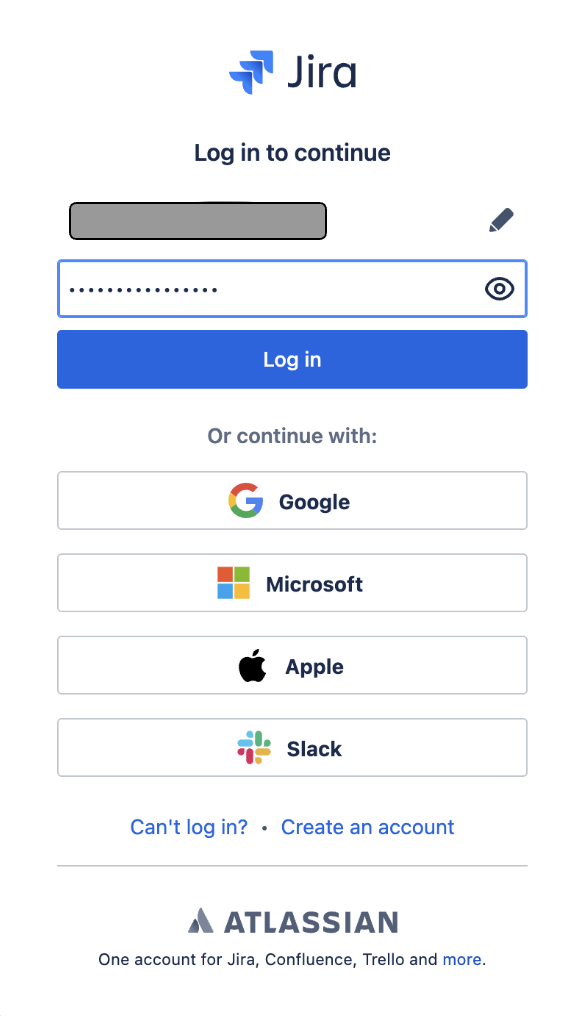
Sign in to [Jira](https://id.atlassian.com) with your Atlassian account.
 ### Create an API token
Create an API token from your Atlassian account:
1. Log in to https://id.atlassian.com/manage-profile/security/api-tokens.
1. Click **Create API token**.
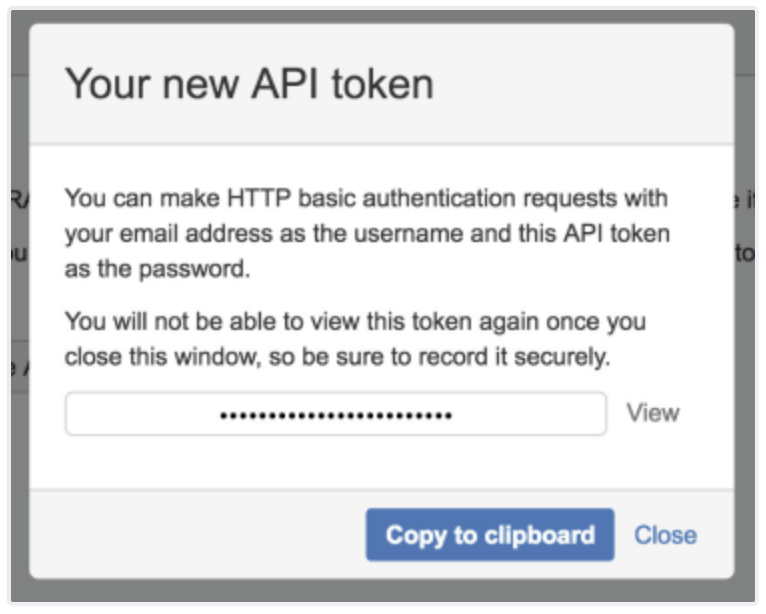
1. From the dialog that appears, enter a memorable and concise **Label** for your token and click **Create**.
1. Click **Copy to clipboard**, then paste the token to your script, or elsewhere to save.
### Create an API token
Create an API token from your Atlassian account:
1. Log in to https://id.atlassian.com/manage-profile/security/api-tokens.
1. Click **Create API token**.
1. From the dialog that appears, enter a memorable and concise **Label** for your token and click **Create**.
1. Click **Copy to clipboard**, then paste the token to your script, or elsewhere to save.
 ### Revoke an API token
A revoked token no longer works and is permanently removed from your account. If you revoke an API token currently being used, you can replace it with a new token. To revoke an API token:
1. Log in to https://id.atlassian.com/manage-profile/security/api-tokens.
1. Select **Revoke** next to the API token that you want to revoke.
1. To revoke all API tokens for your account, select **Revoke all API tokens**.
## Configure Atlassian Jira Cloud in Automation Service and Cloud SOAR
import IntegrationsAuth from '../../reuse/integrations-authentication.md';
import IntegrationCertificate from '../../reuse/automation-service/integration-certificate.md';
import IntegrationEngine from '../../reuse/automation-service/integration-engine.md';
import IntegrationLabel from '../../reuse/automation-service/integration-label.md';
import IntegrationProxy from '../../reuse/automation-service/integration-proxy.md';
import IntegrationTimeout from '../../reuse/automation-service/integration-timeout.md';
import CloudSOARAPIURL from '../../reuse/automation-service/cloud-soar-api-url.md';
import AccessID from '../../reuse/automation-service/access-id.md';
import AccessKey from '../../reuse/automation-service/access-key.md';
*
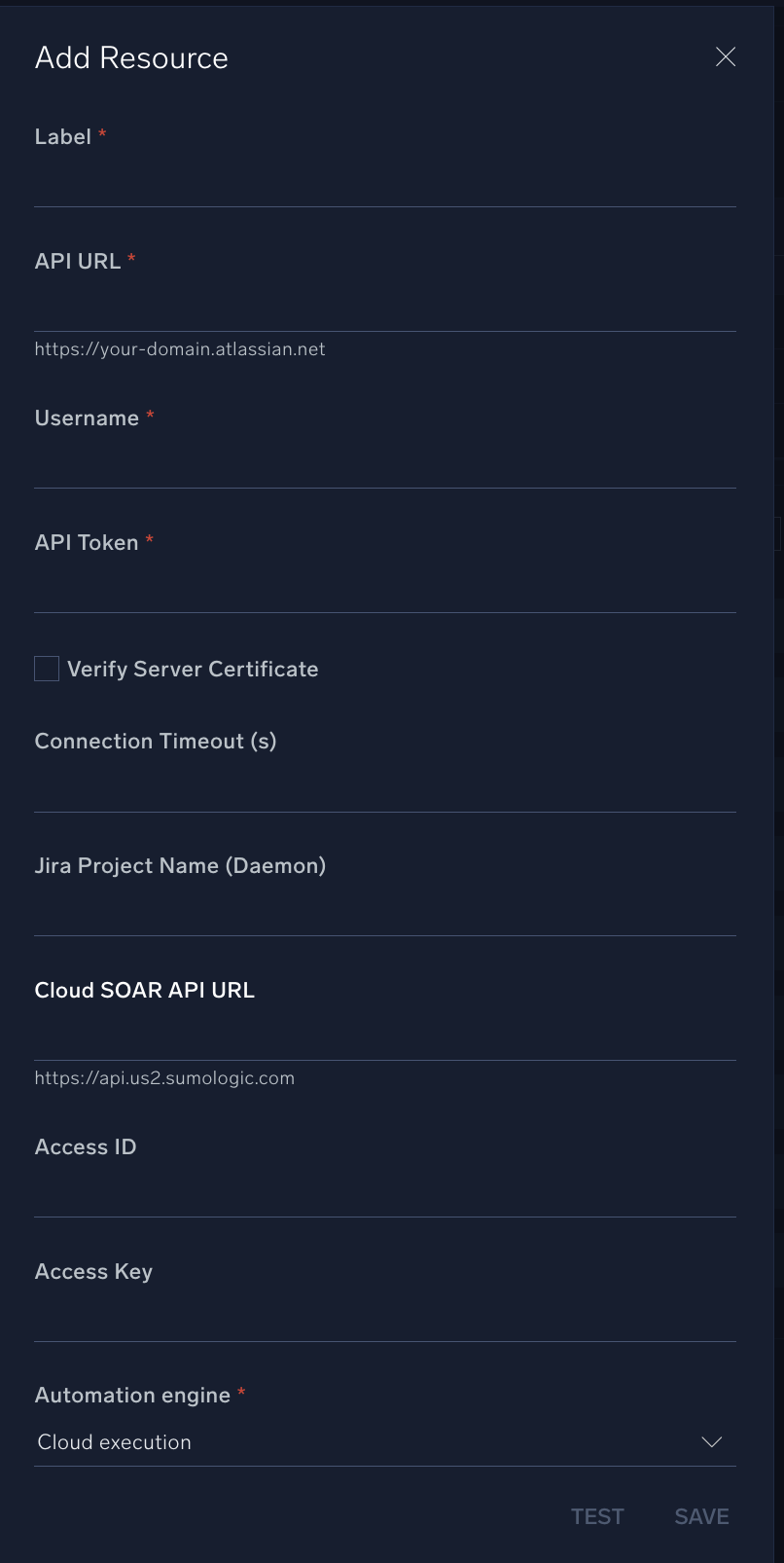
* **URL API**. Enter your Atlassian site URL. For example, `https://your-atlassian-site.atlassian.net/`. For information, see [Atlassian documentation](https://developer.atlassian.com/cloud/jira/platform/rest/v3/intro/#about).
* **Username**. Enter the username (email address) of the admin user authorized to authenticate the integration.
* **API Token**. Enter the token you [created earlier](#create-an-api-token).
*
*
*
*
*
*
*
### Revoke an API token
A revoked token no longer works and is permanently removed from your account. If you revoke an API token currently being used, you can replace it with a new token. To revoke an API token:
1. Log in to https://id.atlassian.com/manage-profile/security/api-tokens.
1. Select **Revoke** next to the API token that you want to revoke.
1. To revoke all API tokens for your account, select **Revoke all API tokens**.
## Configure Atlassian Jira Cloud in Automation Service and Cloud SOAR
import IntegrationsAuth from '../../reuse/integrations-authentication.md';
import IntegrationCertificate from '../../reuse/automation-service/integration-certificate.md';
import IntegrationEngine from '../../reuse/automation-service/integration-engine.md';
import IntegrationLabel from '../../reuse/automation-service/integration-label.md';
import IntegrationProxy from '../../reuse/automation-service/integration-proxy.md';
import IntegrationTimeout from '../../reuse/automation-service/integration-timeout.md';
import CloudSOARAPIURL from '../../reuse/automation-service/cloud-soar-api-url.md';
import AccessID from '../../reuse/automation-service/access-id.md';
import AccessKey from '../../reuse/automation-service/access-key.md';
*
* **URL API**. Enter your Atlassian site URL. For example, `https://your-atlassian-site.atlassian.net/`. For information, see [Atlassian documentation](https://developer.atlassian.com/cloud/jira/platform/rest/v3/intro/#about).
* **Username**. Enter the username (email address) of the admin user authorized to authenticate the integration.
* **API Token**. Enter the token you [created earlier](#create-an-api-token).
*
*
*
*
*
*
*
 For information about Atlassian Jira Cloud, see [Jira Cloud documentation](https://support.atlassian.com/jira-software-cloud/resources/). For the REST API v3, see the [REST API v3 documentation](https://developer.atlassian.com/cloud/jira/platform/rest/v3/intro/).
### API base URLs to use
Depending on the type of API token you created, use one of the following URL formats as the API Base URL in the integration configuration:
* **For normal API token:**
Use the standard Jira Cloud domain-based URL format:
`https://.atlassian.net`
* **For scoped API token:**
Use the Atlassian API gateway format, which includes cloud ID:
`https://api.atlassian.com/ex/jira/{cloudId}`
* **How to find your cloud ID:**
Using browser endpoint:
`https://.atlassian.net/_edge/tenant_info`
## Category
Ticketing System
## Change Log
| Version | Date | Description |
|:--------|:----------------|:--|
| v1.6.0 | October 7, 2026 | Improved the **Create Issue** and **Update Issue** actions to correctly render multi-line text and HTML formatting in the **Description** field when using playbook outputs (signal data, iterated JSON). Top-level `
For information about Atlassian Jira Cloud, see [Jira Cloud documentation](https://support.atlassian.com/jira-software-cloud/resources/). For the REST API v3, see the [REST API v3 documentation](https://developer.atlassian.com/cloud/jira/platform/rest/v3/intro/).
### API base URLs to use
Depending on the type of API token you created, use one of the following URL formats as the API Base URL in the integration configuration:
* **For normal API token:**
Use the standard Jira Cloud domain-based URL format:
`https://.atlassian.net`
* **For scoped API token:**
Use the Atlassian API gateway format, which includes cloud ID:
`https://api.atlassian.com/ex/jira/{cloudId}`
* **How to find your cloud ID:**
Using browser endpoint:
`https://.atlassian.net/_edge/tenant_info`
## Category
Ticketing System
## Change Log
| Version | Date | Description |
|:--------|:----------------|:--|
| v1.6.0 | October 7, 2026 | Improved the **Create Issue** and **Update Issue** actions to correctly render multi-line text and HTML formatting in the **Description** field when using playbook outputs (signal data, iterated JSON). Top-level `
` tags and `\n` line breaks now create separate paragraphs in Jira instead of being truncated or collapsed. Added support for Unix timestamps and ISO datetime strings in the **Due Date** field. |
| v1.5 | July 14, 2026 | Improved reliability across all actions with more stable connections and clearer error messages. |
| v1.4 | March 23, 2026 | Upgraded the `python3_generic` Docker image (Python 3.8) to `python3_12_generic` (Python 3.12) to address Python 3.8 end-of-life and improve security and performance. |
| v1.3 | Nov 6, 2025 | Changed the API endpoint in the resource connection file to prevent admin-level privileges. |
| v1.2 | Oct 15, 2025 | Added support for the `br` tag in required actions. |
| v1.1 | Sept 10, 2025 | Added a daemon action. |
| | March 20, 2025 | Initial release of the Atlassian Jira Cloud integration. |
## Additional resources
For Atlassian Jira Cloud, Sumo Logic offers the [Jira Cloud app](/docs/integrations/app-development/jira-cloud/) to collect your Jira Cloud data.