---
title: Atlassian Jira V2
description: ''
slug: /help/docs/integrations/automation-integrations/atlassian-jira-v2/
canonical: https://www.sumologic.com/help/docs/integrations/automation-integrations/atlassian-jira-v2/
---
import useBaseUrl from '@docusaurus/useBaseUrl';
 ***Version: 2.13
Updated: July 13, 2026***
Jira is a proprietary issue tracking product developed by Atlassian that allows bug tracking and agile project management.
:::note
This integration uses the [Jira REST API v2](https://developer.atlassian.com/cloud/jira/platform/rest/v2/intro/#about).
:::
## Actions
* **Add Comment to Issue** *(Notification)* - Add a comment to the specified issue.
* **Add Issue Attachments To Incident** *(Enrichment)* - Add attachment from Jira issue to Cloud SOAR Incident.
* **Check Issue Status Schedule** *(Scheduled)* - To wait for or check a status update of a Jira ticket/issue.
* **Create Issue** (*Notification*) - Create a new issue in the specified Jira project.
* **Delete Issue** (*Containment*) - Delete the specified issue.
* **Download Attachment** *(Enrichment)* - Returns the contents of an attachment in an encoded format that can be used for further analysis selecting `output.raw` in your playbooks.
* **Get Issue** *(Enrichment)* - Returns the details for an issue.
* **Issues Jira Daemon** *(Daemon)* - Daemon to pull Jira issues.
* **List Issue Types** *(Enrichment)* - List issue types.
* **List Issue** Fields *(Enrichment)* - List the issue fields.
* **List Projects** *(Enrichment)* - List the current projects.
* **List Statuses** *(Enrichment)* - Returns a list of the statuses.
* **List Transitions** *(Enrichment)* - Returns either all transitions or a transition that can be performed by the user on an issue, based on the issue's .status.
* **List Users** *(Enrichment)* - Returns a list of all users
* **Search Into Issues** *(Enrichment)* - Search Jira Issues.
* **Search User** *(Enrichment)* - Search for a user by display name, email address, or account ID.
* **Update Issue** (*Notification*) - Update the specified issue field with the specified value.
* **Update Transition Issue** *(Notification)* - Update transition issue based on the issue's status.
## Atlassian Jira V2 configuration
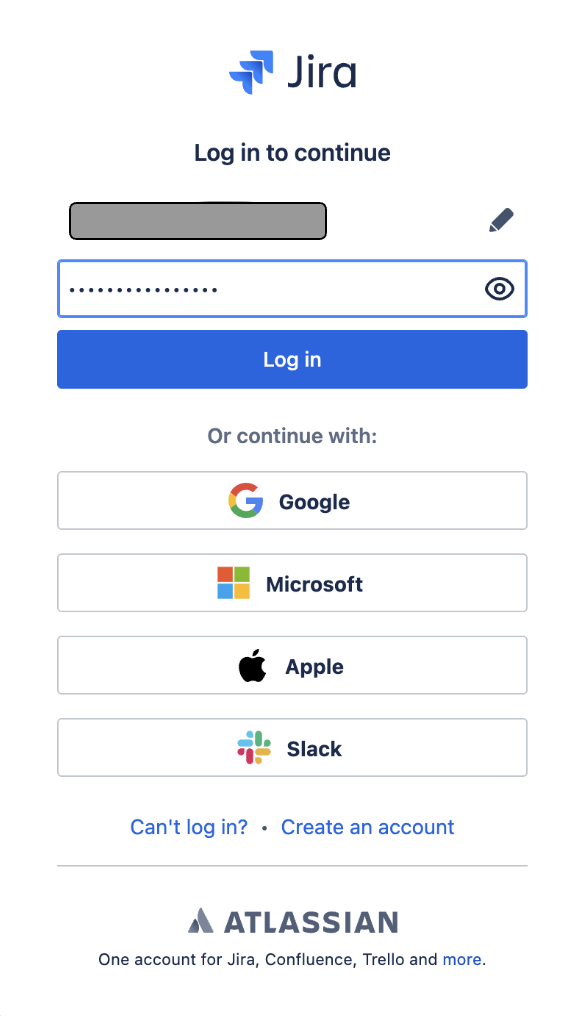
Sign in to [Jira](https://id.atlassian.com) with your Atlassian account.
***Version: 2.13
Updated: July 13, 2026***
Jira is a proprietary issue tracking product developed by Atlassian that allows bug tracking and agile project management.
:::note
This integration uses the [Jira REST API v2](https://developer.atlassian.com/cloud/jira/platform/rest/v2/intro/#about).
:::
## Actions
* **Add Comment to Issue** *(Notification)* - Add a comment to the specified issue.
* **Add Issue Attachments To Incident** *(Enrichment)* - Add attachment from Jira issue to Cloud SOAR Incident.
* **Check Issue Status Schedule** *(Scheduled)* - To wait for or check a status update of a Jira ticket/issue.
* **Create Issue** (*Notification*) - Create a new issue in the specified Jira project.
* **Delete Issue** (*Containment*) - Delete the specified issue.
* **Download Attachment** *(Enrichment)* - Returns the contents of an attachment in an encoded format that can be used for further analysis selecting `output.raw` in your playbooks.
* **Get Issue** *(Enrichment)* - Returns the details for an issue.
* **Issues Jira Daemon** *(Daemon)* - Daemon to pull Jira issues.
* **List Issue Types** *(Enrichment)* - List issue types.
* **List Issue** Fields *(Enrichment)* - List the issue fields.
* **List Projects** *(Enrichment)* - List the current projects.
* **List Statuses** *(Enrichment)* - Returns a list of the statuses.
* **List Transitions** *(Enrichment)* - Returns either all transitions or a transition that can be performed by the user on an issue, based on the issue's .status.
* **List Users** *(Enrichment)* - Returns a list of all users
* **Search Into Issues** *(Enrichment)* - Search Jira Issues.
* **Search User** *(Enrichment)* - Search for a user by display name, email address, or account ID.
* **Update Issue** (*Notification*) - Update the specified issue field with the specified value.
* **Update Transition Issue** *(Notification)* - Update transition issue based on the issue's status.
## Atlassian Jira V2 configuration
Sign in to [Jira](https://id.atlassian.com) with your Atlassian account.
 ### Create an API token
[Create an API token](https://developer.atlassian.com/cloud/commerce-it-frontoffice/overview/papi/onboarding/api-token/create/#create-a-token) from your Atlassian account:
1. Log in to https://id.atlassian.com/manage-profile/security/api-tokens.
1. Click **Create API token**.
1. From the dialog that appears, enter a memorable and concise **Label** for your token and click **Create**.
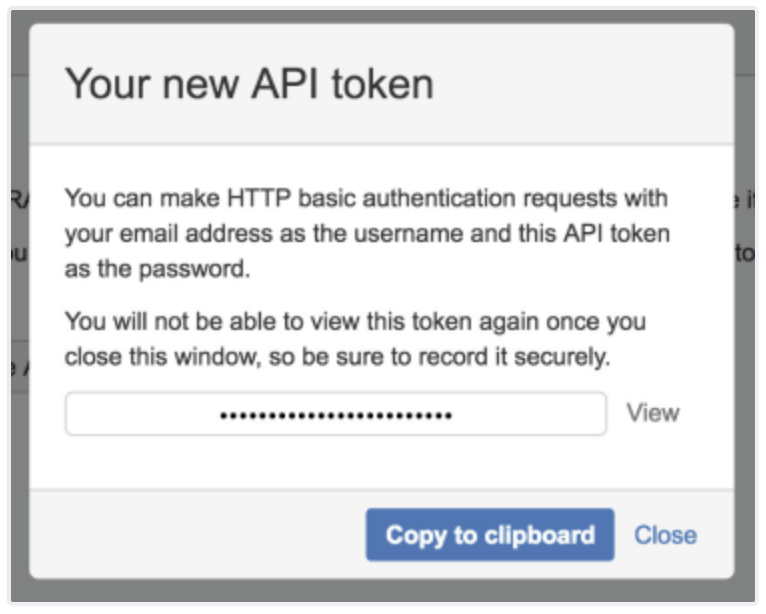
1. Click **Copy to clipboard**, then paste the token to your script, or elsewhere to save.
### Create an API token
[Create an API token](https://developer.atlassian.com/cloud/commerce-it-frontoffice/overview/papi/onboarding/api-token/create/#create-a-token) from your Atlassian account:
1. Log in to https://id.atlassian.com/manage-profile/security/api-tokens.
1. Click **Create API token**.
1. From the dialog that appears, enter a memorable and concise **Label** for your token and click **Create**.
1. Click **Copy to clipboard**, then paste the token to your script, or elsewhere to save.
 ### Revoke an API token
[A revoked token](https://developer.atlassian.com/cloud/commerce-it-frontoffice/overview/papi/onboarding/api-token/delete/) no longer works and is permanently removed from your account. If you revoke an API token currently being used, you can replace it with a new token. To revoke an API token:
1. Log in to https://id.atlassian.com/manage-profile/security/api-tokens.
1. Select **Revoke** next to the API token that you want to revoke.
1. To revoke all API tokens for your account, select **Revoke all API tokens**.
## Configure Atlassian Jira V2 in Automation Service and Cloud SOAR
import IntegrationsAuth from '../../reuse/integrations-authentication.md';
import IntegrationCertificate from '../../reuse/automation-service/integration-certificate.md';
import IntegrationEngine from '../../reuse/automation-service/integration-engine.md';
import IntegrationLabel from '../../reuse/automation-service/integration-label.md';
import IntegrationProxy from '../../reuse/automation-service/integration-proxy.md';
import IntegrationTimeout from '../../reuse/automation-service/integration-timeout.md';
import CloudSOARAPIURL from '../../reuse/automation-service/cloud-soar-api-url.md';
import AccessID from '../../reuse/automation-service/access-id.md';
import AccessKey from '../../reuse/automation-service/access-key.md';
*
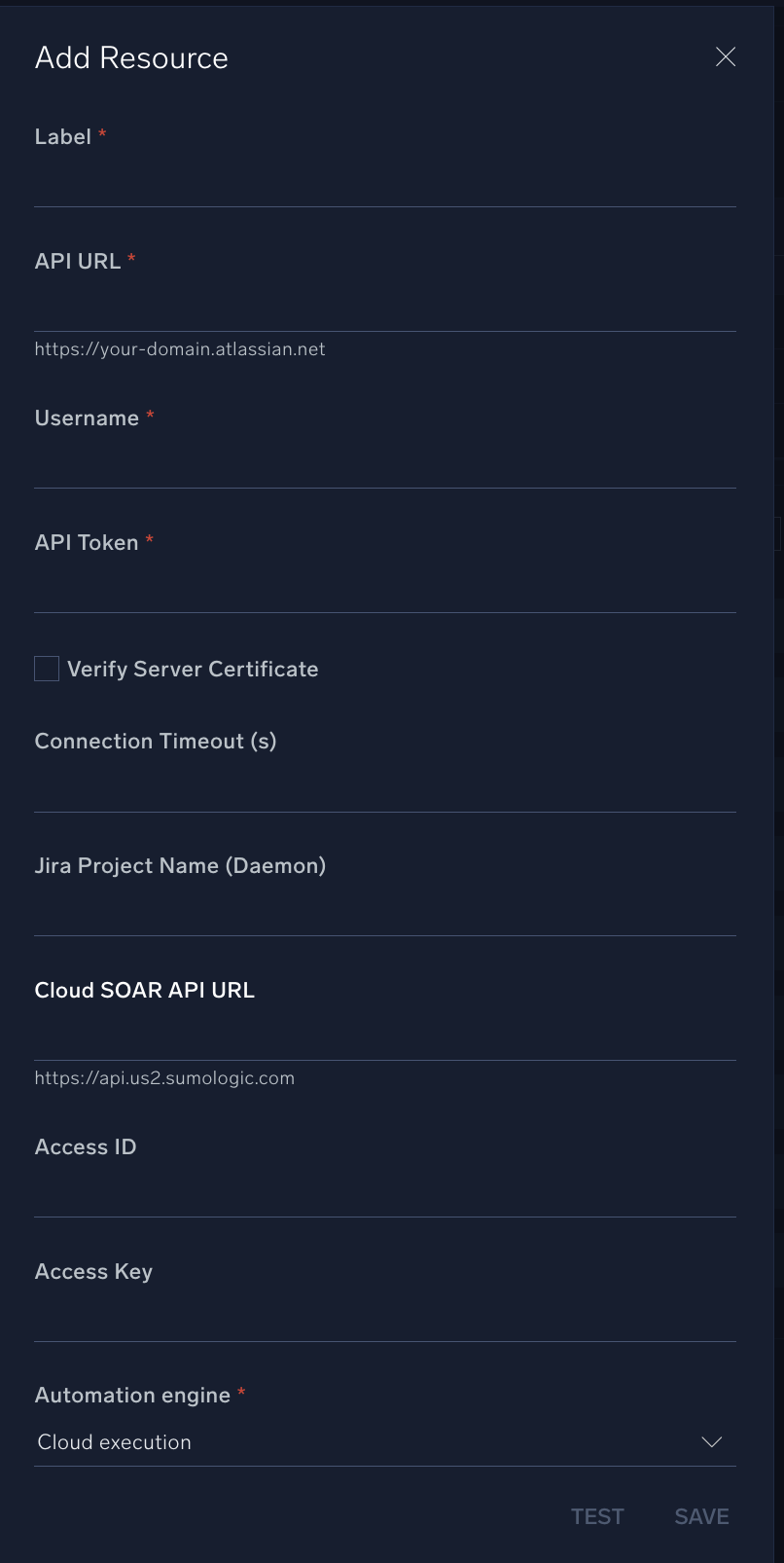
* **URL API**. Enter your Atlassian site URL. For example, `https://your-atlassian-site.atlassian.net/`. For information, see [Atlassian documentation](https://developer.atlassian.com/cloud/jira/platform/rest/v2/intro/#about).
* **Username**. Enter the username (email address) of the admin user authorized to authenticate the integration.
* **API Token**. Enter the [token](https://developer.atlassian.com/cloud/commerce-it-frontoffice/overview/papi/onboarding/api-token/create/#create-a-token) you [created earlier](#create-an-api-token).
*
*
* **Jira Project Name (Daemon)**. Enter the Jira [project name](https://confluence.atlassian.com/adminjiraserver/defining-a-project-938847066.html).
*
*
*
*
:::note
* Populate **Jira Project Name** when using the Issues **Jira Daemon** action.
* Populate **Cloud SOAR API URL** and **Cloud SOAR JWT (token)** when using the **Add Issue Attachment To Incident** action.
:::
### Revoke an API token
[A revoked token](https://developer.atlassian.com/cloud/commerce-it-frontoffice/overview/papi/onboarding/api-token/delete/) no longer works and is permanently removed from your account. If you revoke an API token currently being used, you can replace it with a new token. To revoke an API token:
1. Log in to https://id.atlassian.com/manage-profile/security/api-tokens.
1. Select **Revoke** next to the API token that you want to revoke.
1. To revoke all API tokens for your account, select **Revoke all API tokens**.
## Configure Atlassian Jira V2 in Automation Service and Cloud SOAR
import IntegrationsAuth from '../../reuse/integrations-authentication.md';
import IntegrationCertificate from '../../reuse/automation-service/integration-certificate.md';
import IntegrationEngine from '../../reuse/automation-service/integration-engine.md';
import IntegrationLabel from '../../reuse/automation-service/integration-label.md';
import IntegrationProxy from '../../reuse/automation-service/integration-proxy.md';
import IntegrationTimeout from '../../reuse/automation-service/integration-timeout.md';
import CloudSOARAPIURL from '../../reuse/automation-service/cloud-soar-api-url.md';
import AccessID from '../../reuse/automation-service/access-id.md';
import AccessKey from '../../reuse/automation-service/access-key.md';
*
* **URL API**. Enter your Atlassian site URL. For example, `https://your-atlassian-site.atlassian.net/`. For information, see [Atlassian documentation](https://developer.atlassian.com/cloud/jira/platform/rest/v2/intro/#about).
* **Username**. Enter the username (email address) of the admin user authorized to authenticate the integration.
* **API Token**. Enter the [token](https://developer.atlassian.com/cloud/commerce-it-frontoffice/overview/papi/onboarding/api-token/create/#create-a-token) you [created earlier](#create-an-api-token).
*
*
* **Jira Project Name (Daemon)**. Enter the Jira [project name](https://confluence.atlassian.com/adminjiraserver/defining-a-project-938847066.html).
*
*
*
*
:::note
* Populate **Jira Project Name** when using the Issues **Jira Daemon** action.
* Populate **Cloud SOAR API URL** and **Cloud SOAR JWT (token)** when using the **Add Issue Attachment To Incident** action.
:::
 For information about Atlassian Jira, see [Jira documentation](https://confluence.atlassian.com/jira). For the REST API v2, see the [REST API v2 documentation](https://developer.atlassian.com/cloud/jira/platform/rest/v2/intro/).
## Category
Ticketing System
## Change Log
| Version | Date | Description |
|:--|:--|:--|
| v2.13 | July 13, 2026 | Improved integration reliability, enhanced error handling, better edge case support, and more user-friendly error messages. |
| v2.12 | June 26, 2026 | Added a new action: **Search User**, to search for Jira users by display name, email address, or account ID. |
| v2.11 | March 23, 2026 | Upgraded the `python3_generic` Docker image (Python 3.8) to `python3_12_generic` (Python 3.12) to address Python 3.8 end-of-life and improve security and performance. |
| v2.10 | September 2, 2024 | Updated the **Update Issue** action. |
| v2.9 | June 20, 2024 | Added a new action: **Download Attachment**. |
| v2.8 | May 23, 2024 | Updated the **Add Issue Attachments To Incident** action. |
| v2.7 | May 13, 2024 | Added a new JSON custom field to the **Update Issue Status** action. |
| v2.6 | May 2, 2024 | Added a new scheduled action for the Jira integration to wait for or check the status update of a Jira ticket. |
| v2.5 | July 4, 2023 | Updated actions: **Create Issue**, **Update Issue**, and **Update Issue Status**. |
| v2.4 | June 28, 2023 | Changed the visibility of the resource fields. |
| v2.3 | June 27, 2023 | Removed leading and trailing spaces from the integration. |
| v2.2 | March 27, 2023 |
For information about Atlassian Jira, see [Jira documentation](https://confluence.atlassian.com/jira). For the REST API v2, see the [REST API v2 documentation](https://developer.atlassian.com/cloud/jira/platform/rest/v2/intro/).
## Category
Ticketing System
## Change Log
| Version | Date | Description |
|:--|:--|:--|
| v2.13 | July 13, 2026 | Improved integration reliability, enhanced error handling, better edge case support, and more user-friendly error messages. |
| v2.12 | June 26, 2026 | Added a new action: **Search User**, to search for Jira users by display name, email address, or account ID. |
| v2.11 | March 23, 2026 | Upgraded the `python3_generic` Docker image (Python 3.8) to `python3_12_generic` (Python 3.12) to address Python 3.8 end-of-life and improve security and performance. |
| v2.10 | September 2, 2024 | Updated the **Update Issue** action. |
| v2.9 | June 20, 2024 | Added a new action: **Download Attachment**. |
| v2.8 | May 23, 2024 | Updated the **Add Issue Attachments To Incident** action. |
| v2.7 | May 13, 2024 | Added a new JSON custom field to the **Update Issue Status** action. |
| v2.6 | May 2, 2024 | Added a new scheduled action for the Jira integration to wait for or check the status update of a Jira ticket. |
| v2.5 | July 4, 2023 | Updated actions: **Create Issue**, **Update Issue**, and **Update Issue Status**. |
| v2.4 | June 28, 2023 | Changed the visibility of the resource fields. |
| v2.3 | June 27, 2023 | Removed leading and trailing spaces from the integration. |
| v2.2 | March 27, 2023 | - Updated the integration fields with environmental variables and improved error handling.
- Updated the deprecated endpoint.
- Changed the action type from Containment to Notification.
|
| | December 19, 2022 | - Solved an issue where the **Search Into Issues** action could not search correctly by JQL.
- Added a hint for Host.
|
| | June 22, 2022 | Initial release of the Atlassian Jira V2 integration. |