---
title: FireEye AX
description: ''
slug: /help/docs/integrations/automation-integrations/fireeye-ax/
canonical: https://www.sumologic.com/help/docs/integrations/automation-integrations/fireeye-ax/
---
import useBaseUrl from '@docusaurus/useBaseUrl';
 ***Version: 1.2
Updated: April 29, 2026***
Inspect malicious files using FireEye AX.
## Actions
* **Submit Malware File Test** (*Enrichment*) - Submit a malicious file to FireEye AX.
* **Get Malware Analysis Report** (*Enrichment*) - Gather malware analysis report for a submitted file.
## Configure FireEye AX in Automation Service and Cloud SOAR
import IntegrationsAuth from '../../reuse/integrations-authentication.md';
import IntegrationCertificate from '../../reuse/automation-service/integration-certificate.md';
import IntegrationEngine from '../../reuse/automation-service/integration-engine.md';
import IntegrationLabel from '../../reuse/automation-service/integration-label.md';
import IntegrationProxy from '../../reuse/automation-service/integration-proxy.md';
import IntegrationTimeout from '../../reuse/automation-service/integration-timeout.md';
*
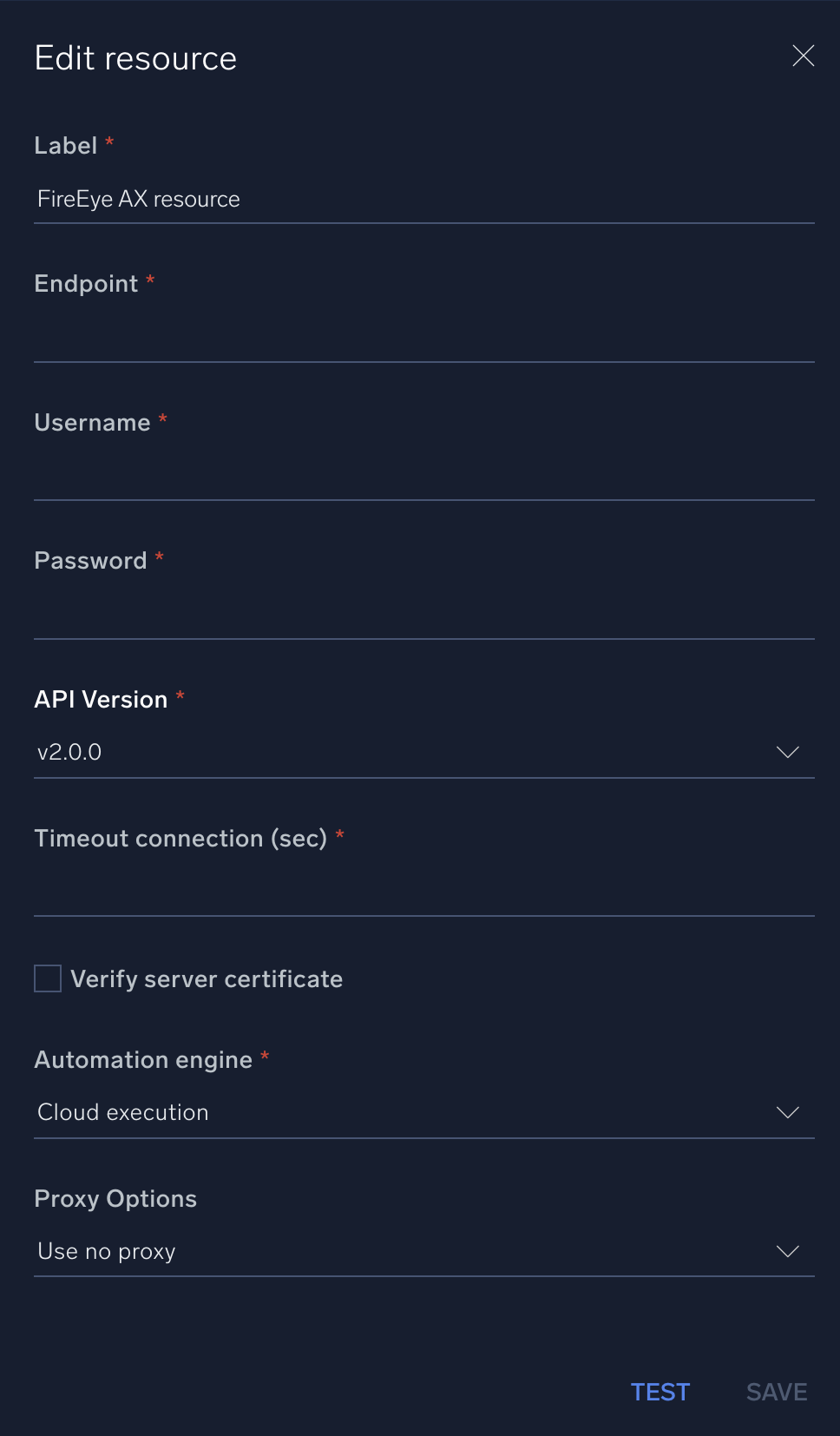
* **Endpoint**. Enter the FireEye AX endpoint URL.
* **Username**. Enter the username of a FireEye AX admin user authorized to authenticate the integration.
* **Password**. Enter the password for the admin user.
* **API Version**. Select the API version, 2.0.0 or 1.2.0.
*
*
*
*
***Version: 1.2
Updated: April 29, 2026***
Inspect malicious files using FireEye AX.
## Actions
* **Submit Malware File Test** (*Enrichment*) - Submit a malicious file to FireEye AX.
* **Get Malware Analysis Report** (*Enrichment*) - Gather malware analysis report for a submitted file.
## Configure FireEye AX in Automation Service and Cloud SOAR
import IntegrationsAuth from '../../reuse/integrations-authentication.md';
import IntegrationCertificate from '../../reuse/automation-service/integration-certificate.md';
import IntegrationEngine from '../../reuse/automation-service/integration-engine.md';
import IntegrationLabel from '../../reuse/automation-service/integration-label.md';
import IntegrationProxy from '../../reuse/automation-service/integration-proxy.md';
import IntegrationTimeout from '../../reuse/automation-service/integration-timeout.md';
*
* **Endpoint**. Enter the FireEye AX endpoint URL.
* **Username**. Enter the username of a FireEye AX admin user authorized to authenticate the integration.
* **Password**. Enter the password for the admin user.
* **API Version**. Select the API version, 2.0.0 or 1.2.0.
*
*
*
*
 For information about Trellix Malware Analysis (formerly FireEye AX), see [Trellix Malware Analysis (AX) documentation](https://docs.trellix.com/bundle/fe-malware-analysis-landing/page/UUID-ffb70bcb-95b9-7af9-04f8-62ae4bc7cd14.html).
## Change Log
| Version | Date | Description |
|:--|:--|:--|
| v1.2 | April 29, 2026 | Upgraded the `python3_generic` Docker image (Python 3.8) to `python3_12_generic` (Python 3.12) to address Python 3.8 end-of-life and improve security and performance. |
| v1.1 | July 6, 2023 | Updated the integration with Environmental Variables. |
| | March 30, 2020 | First upload. |
For information about Trellix Malware Analysis (formerly FireEye AX), see [Trellix Malware Analysis (AX) documentation](https://docs.trellix.com/bundle/fe-malware-analysis-landing/page/UUID-ffb70bcb-95b9-7af9-04f8-62ae4bc7cd14.html).
## Change Log
| Version | Date | Description |
|:--|:--|:--|
| v1.2 | April 29, 2026 | Upgraded the `python3_generic` Docker image (Python 3.8) to `python3_12_generic` (Python 3.12) to address Python 3.8 end-of-life and improve security and performance. |
| v1.1 | July 6, 2023 | Updated the integration with Environmental Variables. |
| | March 30, 2020 | First upload. |