---
title: WithSecure Elements
description: ''
slug: /help/docs/integrations/automation-integrations/withsecure-elements/
canonical: https://www.sumologic.com/help/docs/integrations/automation-integrations/withsecure-elements/
---
import useBaseUrl from '@docusaurus/useBaseUrl';
 ***Version: 1.3
Updated: April 30, 2026***
WithSecure Elements is a single, modular solution consisting of a complete range of cybersecurity applications that offer end-to-end enterprise and cloud coverage. The product includes our award-winning technologies for vulnerability management, patch management, endpoint protection, and endpoint detection and response. In today's unpredictable and ever-changing business environment, our all-in-one security solution helps build and ensure a resilient business.
## Actions
* **List Devices** *(Enrichment)* - For given organization retrieves devices matching all filters, that are used in query.
* **List Organizations** *(Enrichment)* - List organizations that belong to given organization (including itself, if type matches).
* **Retrieve Organization ID** *(Enrichment)* - To retrieve the Organization ID of your profile.
* **WithSecure Elements Security Events Daemon** *(Daemon)* - List security events within specified time frame for given organization in specified order.
## WithSecure Elements configuration
1. Log in to [WithSecure Elements](https://elements.withsecure.com/) technology.
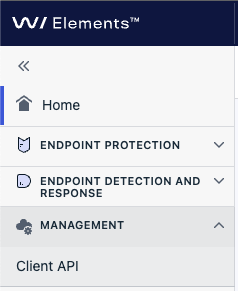
1. Go on **MANAGEMENT > Client API**.
***Version: 1.3
Updated: April 30, 2026***
WithSecure Elements is a single, modular solution consisting of a complete range of cybersecurity applications that offer end-to-end enterprise and cloud coverage. The product includes our award-winning technologies for vulnerability management, patch management, endpoint protection, and endpoint detection and response. In today's unpredictable and ever-changing business environment, our all-in-one security solution helps build and ensure a resilient business.
## Actions
* **List Devices** *(Enrichment)* - For given organization retrieves devices matching all filters, that are used in query.
* **List Organizations** *(Enrichment)* - List organizations that belong to given organization (including itself, if type matches).
* **Retrieve Organization ID** *(Enrichment)* - To retrieve the Organization ID of your profile.
* **WithSecure Elements Security Events Daemon** *(Daemon)* - List security events within specified time frame for given organization in specified order.
## WithSecure Elements configuration
1. Log in to [WithSecure Elements](https://elements.withsecure.com/) technology.
1. Go on **MANAGEMENT > Client API**.
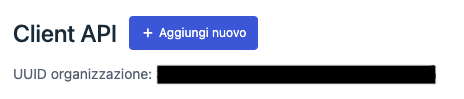
 1. Click on **Add New**.
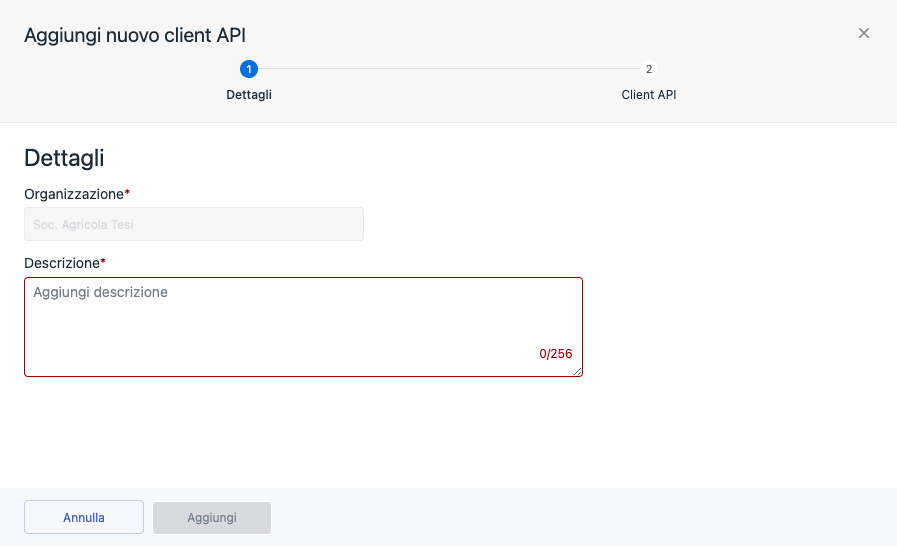
 1. Add a description and click **Add**.
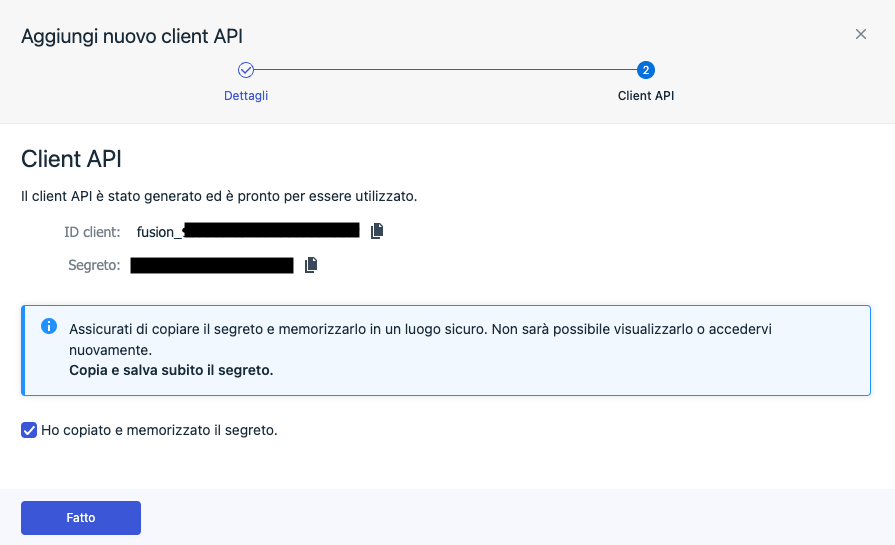
 1. Copy and save the **Client ID** and **Secret**.
 ## Configure WithSecure Elements in Automation Service and Cloud SOAR
import IntegrationsAuth from '../../reuse/integrations-authentication.md';
import IntegrationCertificate from '../../reuse/automation-service/integration-certificate.md';
import IntegrationEngine from '../../reuse/automation-service/integration-engine.md';
import IntegrationLabel from '../../reuse/automation-service/integration-label.md';
import IntegrationProxy from '../../reuse/automation-service/integration-proxy.md';
import IntegrationTimeout from '../../reuse/automation-service/integration-timeout.md';
*
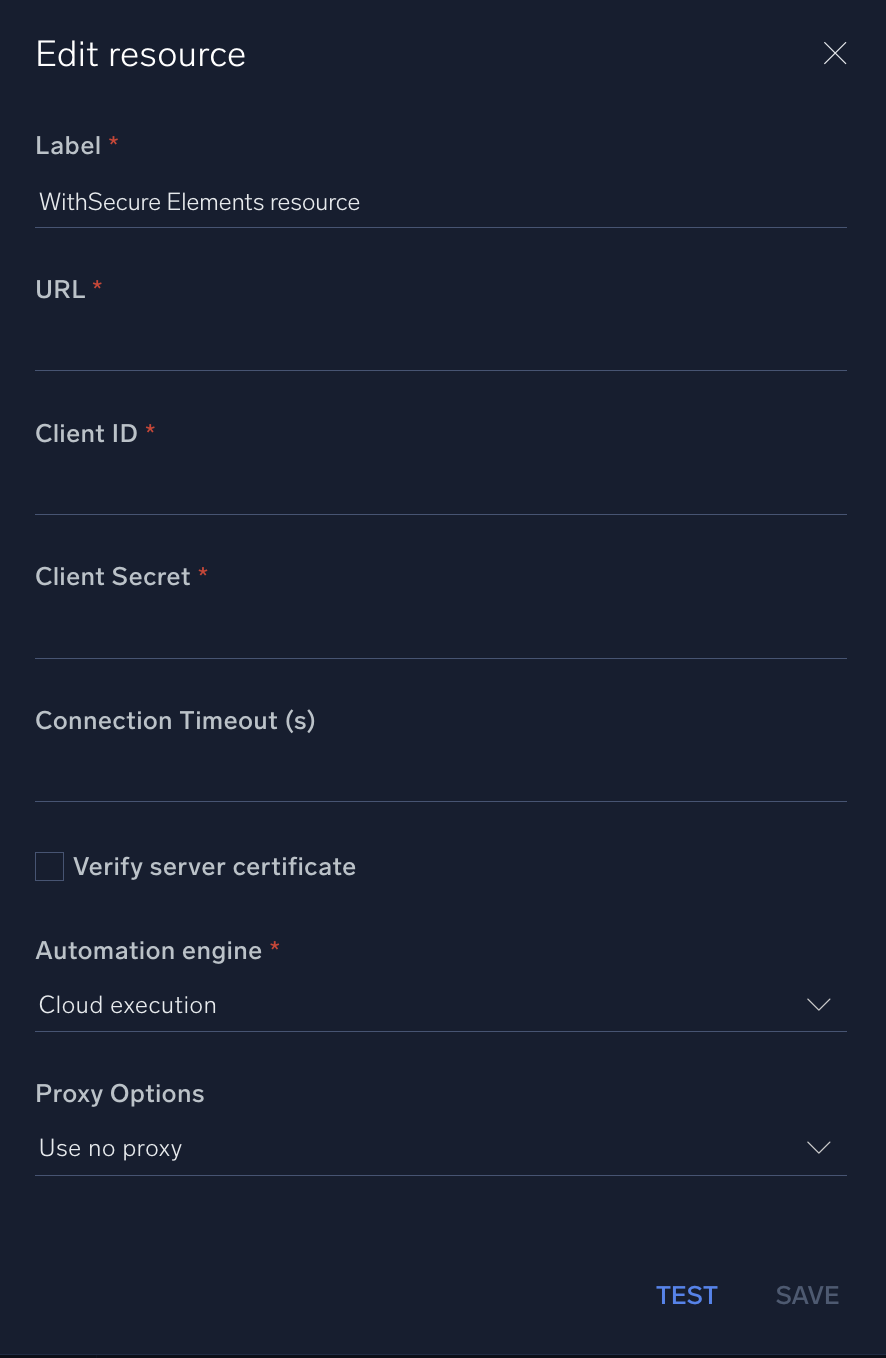
* **URL**. Enter the base API URL for WithSecure Elements. The default is `https://api.connect.withsecure.com/`.
* **Client ID**. Enter the client ID you [copied previously](#withsecure-elements-configuration).
* **Client Secret**. Enter the client secret you [copied previously](#withsecure-elements-configuration).
*
*
*
*
## Configure WithSecure Elements in Automation Service and Cloud SOAR
import IntegrationsAuth from '../../reuse/integrations-authentication.md';
import IntegrationCertificate from '../../reuse/automation-service/integration-certificate.md';
import IntegrationEngine from '../../reuse/automation-service/integration-engine.md';
import IntegrationLabel from '../../reuse/automation-service/integration-label.md';
import IntegrationProxy from '../../reuse/automation-service/integration-proxy.md';
import IntegrationTimeout from '../../reuse/automation-service/integration-timeout.md';
*
* **URL**. Enter the base API URL for WithSecure Elements. The default is `https://api.connect.withsecure.com/`.
* **Client ID**. Enter the client ID you [copied previously](#withsecure-elements-configuration).
* **Client Secret**. Enter the client secret you [copied previously](#withsecure-elements-configuration).
*
*
*
*
 For information about WithSecure Elements, see [WithSecure Elements documentation](https://www.withsecure.com/userguides/).
## Category
Threat Intelligence-Reputation
## Change Log
| Version | Date | Description |
|:--|:--|:--|
| v1.3 | April 30, 2026 | Upgraded the `python3_generic` Docker image (Python 3.8) to `python3_12_generic` (Python 3.12) to address Python 3.8 end-of-life and improve security and performance. |
| v1.2 | March 4, 2024 | Updated code for compatibility with Python 3.12. |
| v1.1 | July 18, 2023 | Removed leading/trailing spaces. |
| | March 22, 2023 | Initial release of the WithSecure Elements integration. |
For information about WithSecure Elements, see [WithSecure Elements documentation](https://www.withsecure.com/userguides/).
## Category
Threat Intelligence-Reputation
## Change Log
| Version | Date | Description |
|:--|:--|:--|
| v1.3 | April 30, 2026 | Upgraded the `python3_generic` Docker image (Python 3.8) to `python3_12_generic` (Python 3.12) to address Python 3.8 end-of-life and improve security and performance. |
| v1.2 | March 4, 2024 | Updated code for compatibility with Python 3.12. |
| v1.1 | July 18, 2023 | Removed leading/trailing spaces. |
| | March 22, 2023 | Initial release of the WithSecure Elements integration. |