---
id: centralized-aws-cloudtrail-log-collection
title: Centralized AWS CloudTrail Log Collection
sidebar_label: Centralized AWS CloudTrail Log Collection.
slug: /help/docs/observability/aws/deploy-use-aws-observability/v3.0.0/deploy-with-aws-cloudformation/centralized-aws-cloudtrail-log-collection/
canonical: https://www.sumologic.com/help/docs/observability/aws/deploy-use-aws-observability/v3.0.0/deploy-with-aws-cloudformation/centralized-aws-cloudtrail-log-collection/
---
import useBaseUrl from '@docusaurus/useBaseUrl';
If you are collecting AWS CloudTrail logs from multiple AWS accounts into a single S3 bucket, we need to make sure Sumo Logic has the ability to reliably extract the account alias that you created from the account-ids.
To do so:
1. First, run the CloudFormation template in the Central Master Log account to collect all CloudTrail Logs and install apps and Alerts/Monitors.
1. Use StackSets to deploy the solution in multiple accounts. While doing so, answer the questions as follows:
1. Install AWS Observability Apps as No.
 1. Create Sumo Logic CloudTrail Logs Source as ‘No’.
 1. Set up FERs in Sumo Logic for CloudTrail logs to associate AWS account-ids present in the logs with AWS account aliases. Log in to the Sumo Logic web UI with a *supported browser*, as an administrator that has the [Manage Field Extractions role capability](/docs/manage/users-roles/roles/role-capabilities/#data-management) and follow the instructions in [Create a Field Extraction Rule](/docs/manage/field-extractions/create-field-extraction-rule/) using the following values:
* **Rule Name**: AWS Accounts
* **Applied At**: Ingest Time
* **Scope**: Specific Data
* **Metadata**. `_sourceCategory`
* **Value**. aws/observability/cloudtrail/logs
* **Parse Expression**
* Enter a parse expression to create an “account” field that maps to the alias you set for each sub account. For example, if you used the `“dev”` alias for an AWS account with ID `"528560886094"` and the `“prod”` alias for an AWS account with ID `"567680881046"`, your parse expression would look like:
```sumo
| json "recipientAccountId"
// Manually map your aws account id with the AWS account alias you setup earlier for individual child account
| "" as account
| if (recipientAccountId = "528560886094", "dev", account) as account
| if (recipientAccountId = "567680881046", "prod", account) as account
| fields account
```
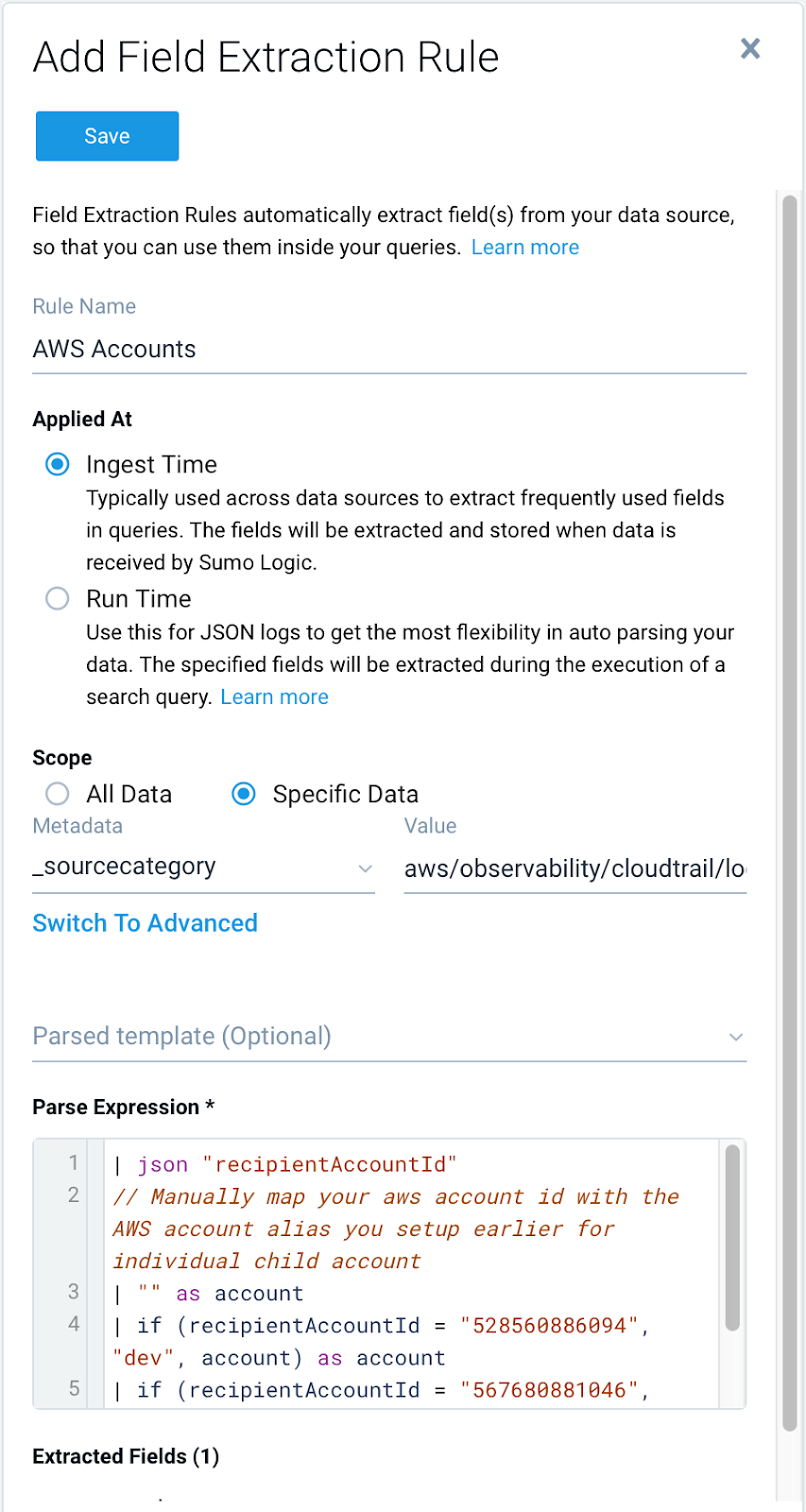
Here is how this would look in Sumo Logic:
1. Set up FERs in Sumo Logic for CloudTrail logs to associate AWS account-ids present in the logs with AWS account aliases. Log in to the Sumo Logic web UI with a *supported browser*, as an administrator that has the [Manage Field Extractions role capability](/docs/manage/users-roles/roles/role-capabilities/#data-management) and follow the instructions in [Create a Field Extraction Rule](/docs/manage/field-extractions/create-field-extraction-rule/) using the following values:
* **Rule Name**: AWS Accounts
* **Applied At**: Ingest Time
* **Scope**: Specific Data
* **Metadata**. `_sourceCategory`
* **Value**. aws/observability/cloudtrail/logs
* **Parse Expression**
* Enter a parse expression to create an “account” field that maps to the alias you set for each sub account. For example, if you used the `“dev”` alias for an AWS account with ID `"528560886094"` and the `“prod”` alias for an AWS account with ID `"567680881046"`, your parse expression would look like:
```sumo
| json "recipientAccountId"
// Manually map your aws account id with the AWS account alias you setup earlier for individual child account
| "" as account
| if (recipientAccountId = "528560886094", "dev", account) as account
| if (recipientAccountId = "567680881046", "prod", account) as account
| fields account
```
Here is how this would look in Sumo Logic: