---
id: mobot-sidebar-preview
title: Mobot Sidebar
description: Use the Mobot sidebar to ask questions and create, analyze, and debug dashboards, queries, monitors, and more from any page without losing your place.
keywords:
- mobot
- mobot sidebar
- dojoai
- ai assistant
- sidebar
- page context
slug: /help/docs/search/mobot/mobot-sidebar-preview/
canonical: https://www.sumologic.com/help/docs/search/mobot/mobot-sidebar-preview/
---
import useBaseUrl from '@docusaurus/useBaseUrl';
Extended Preview
:::info
This feature is in Extended Preview. To participate, contact your Sumo Logic account team.
:::
The Mobot sidebar brings [Mobot](/docs/search/mobot) to the page you are already working on. Instead of switching to a separate chat window and copying queries, errors, and screen details into it, you open Mobot beside your work. Mobot sees the page you are on and can use that context to answer your questions.
With the sidebar, you can:
* **Keep your place**. Ask Mobot about the page in front of you without leaving it.
* **Use page context automatically**. Mobot starts with the context of your current page, such as the dashboard you are viewing.
* **Get an AI collaborator for your workflows**. Mobot helps you analyze, create, and debug as you work, across the pages you use.
## Open the sidebar
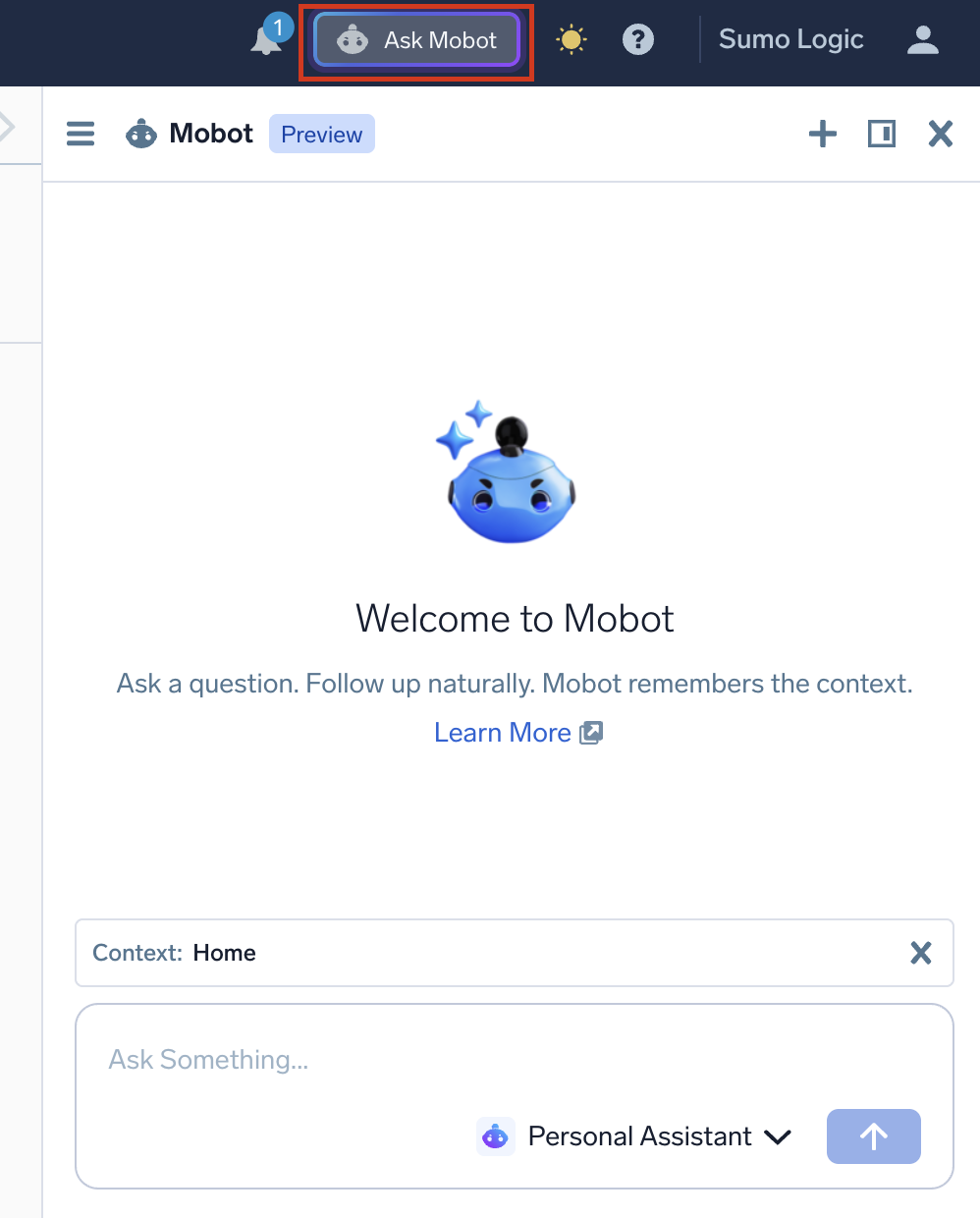
1. Click **Ask Mobot** in the top nav bar on any page.
1. Use the agent selector at the bottom right of the question field to choose who you talk to:
* Mobot, as a personal assistant.
* A Dojo Studio agent, such as the SOC Analyst Agent, Root Cause Agent, or a custom agent.
1. Type a question in the **Ask Something** field and press Enter or click the send button.
Mobot runs the analysis and returns the results, including the queries it ran and a summary of what it found, in the sidebar.
 For example, while viewing a dashboard of Amazon Bedrock AgentCore gateway metrics, you ask `Why do invocations drop on Nov 8th?` Mobot queries the invocations metric around that date, shows hourly invocation counts in a table, and explains that the drop reflects a weekend traffic pattern rather than an outage.
## Page context
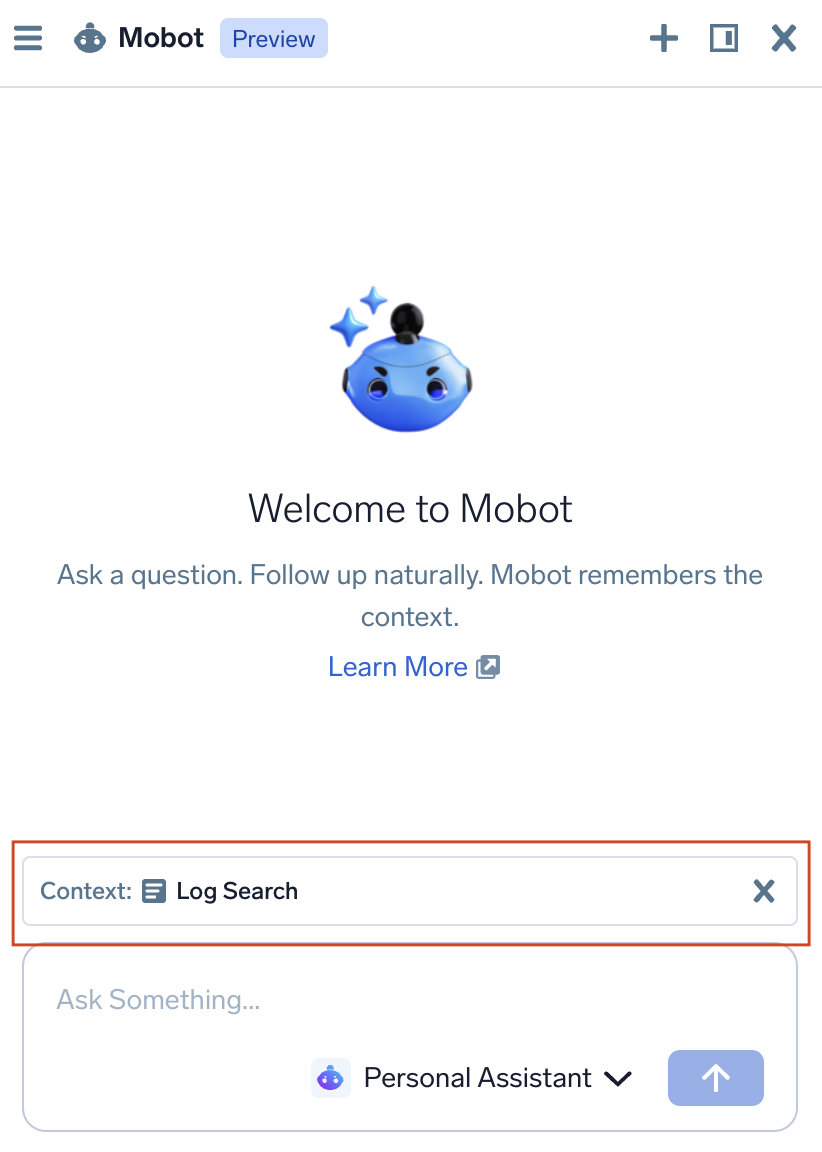
Mobot uses the page you are on as context for your conversation. Every page provides context, though the depth of what Mobot can do may differ by page. A **Context** chip at the bottom of the sidebar, above the question field, shows the name of the page Mobot is using, for example **Log Search**.
To stop Mobot from using the page as context, click the **X** on the chip.
 When you move to another page:
* **In an ongoing conversation**, the context changes to the new page, and the chip updates. The conversation history from the previous page carries over, so Mobot has the context of both pages.
* **To start fresh on the new page**, start a new conversation and select the agent you want to use.
## Manage conversations
The top of the sidebar shows the title of the current conversation, with controls to:
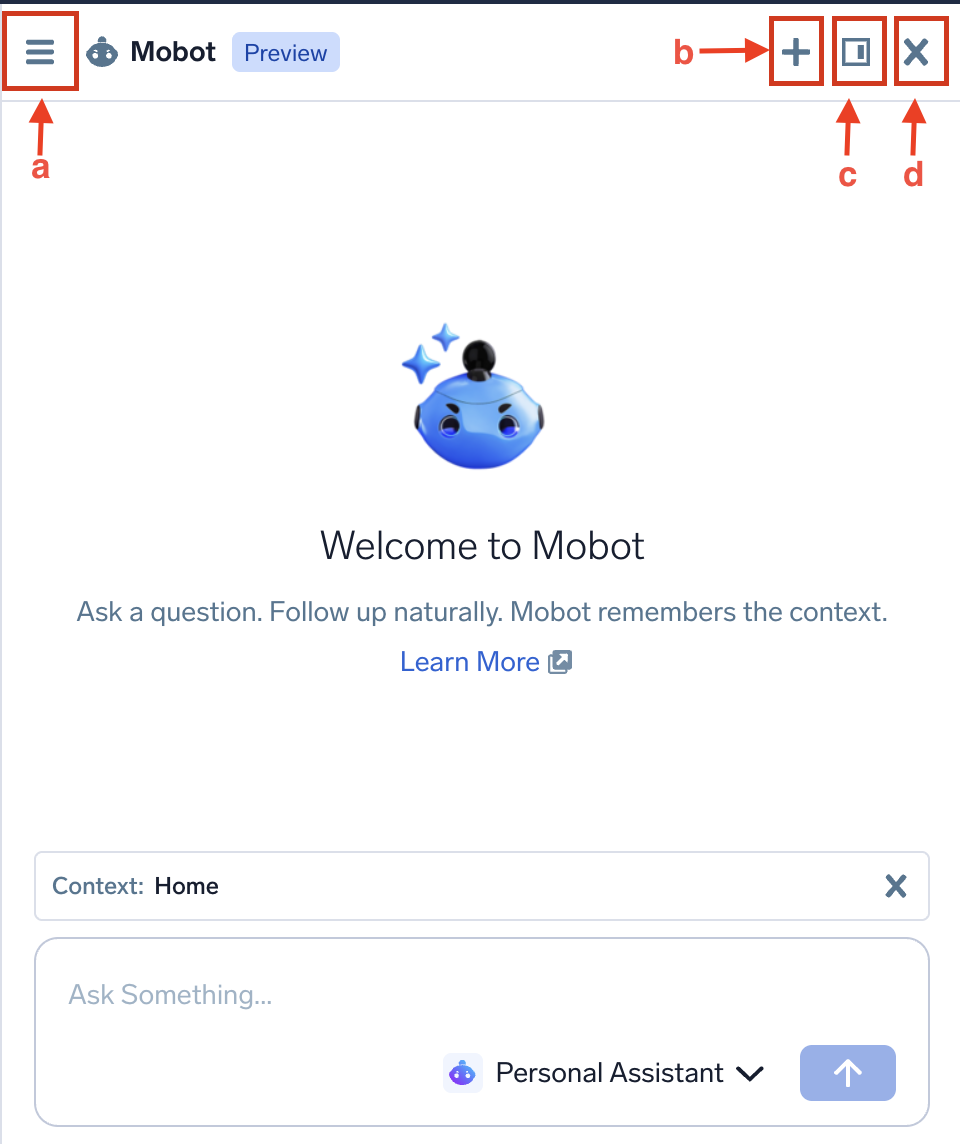 * **a. Menu icon**. View your conversation history.
* **b. Plus icon**. Start a new conversation.
* **c. Layout icon**. Change the view. Under **Switch to**, select **Floating**, **Sidebar**, or **Full screen**.
* **d. Close icon**. Close the sidebar.
## What Mobot can do from the sidebar
Mobot can analyze, create, and debug as you work on any page. For example, you can ask about a dashboard, a query, a monitor, or a collector.
Mobot asks for the same confirmation before creating content as it does on the Mobot page. After Mobot creates or changes content from the sidebar, refresh the page to see the updated content.
## Limitations
* The depth of functionality differs by workflow and page.
* After Mobot creates or changes content from the sidebar, you need to refresh the page to see the update.
## FAQ
### How is the sidebar different from the Mobot page?
Both use the same agent architecture. The sidebar stays open beside the page you are working on and uses that page as context, so you do not need to copy information into a separate chat window.
### Can I turn off Mobot?
Yes. Contact your Sumo Logic account team or open a support ticket to opt out, the same way you can for other DojoAI capabilities. See [Can I opt out of AI features?](/docs/get-started/ai-machine-learning/#can-i-opt-out-of-ai-features)
## Additional resources
* [Sumo Logic Mobot](/docs/search/mobot). Learn how Mobot answers log questions and how-to questions.
* [Mobot Example Prompts](/docs/search/mobot/example-prompts). Find starting points grouped by task.
* [AI and Machine Learning with Sumo Logic](/docs/get-started/ai-machine-learning). See how Mobot fits alongside the DojoAI agents.