


What is Amazon RDS?
The Amazon Relational Database Service (RDS) enables developers to create and manage relational databases in the cloud. As part of Amazon Web Services, this service can integrate with Amazon’s NoSQL database tool, SimpleDB, supporting applications with relational and non-relational database needs. It also works with MySQL, Oracle, and Microsoft SQL for applications that already leverage these database tools.
Key takeaways
- RDS reduces operational costs and overcomes common challenges businesses experience when running databases through tools like MySQL.
- Users should use AWS RDS to offload database management to the cloud but want to use a traditional database.
- RDS is for transaction processing needs that require fast results but fewer data.
Comparing Amazon RDS to other AWS services
Amazon RDS and Amazon EBS: RDS offers encryption at rest and in transit. Data encrypted at rest includes the underlying storage for DB instances, Read Replicas, its automated backups and snapshots. AWS EC2 encrypts EBS volumes to protect your data at rest and in motion.
Amazon RDS and Amazon VPC: Amazon Virtual Private Cloud (Amazon VPC) allows you to launch AWS resources, such as Amazon RDS DB instances, into a virtual private cloud (VPC). With VPC, you have control over your virtual networking environment.
Amazon RDS and AWS Lambda: You can use AWS Lambda to process event notifications from an Amazon Relational Database Service (Amazon RDS) database.
Amazon RDS and RDS MySQL: With Amazon RDS, you can deploy scalable MySQL servers in minutes with cost-efficient and resizable hardware capacity.
Amazon RDS and RDS DB: A DB instance is an isolated database environment running in the cloud. It is the basic building block of Amazon RDS.
Amazon RDS and Amazon CloudWatch: Amazon CloudWatch is a metrics repository. The repository collects and processes raw data from Amazon RDS into readable, near-real-time metrics.
Amazon RDS and Amazon DynamoDB: The significant difference between these two services is that Amazon RDS is relational, whereas DynamoDB is a NoSQL database engine.
Amazon RDS and AWS Console: The AWS Management Console supports the Amazon Relational Database Service. You can now create, manage, and scale DB Instances with point-and-click ease.
Amazon RDS and RDS database: Amazon RDS enables you to run a fully featured relational database while offloading database administration. In contrast, EC2 will be better for your relational database for more control and flexibility.
Amazon RDS and AWS DMS: AWS DMS supports migration between database and analytics engines, such as Oracle to Amazon Aurora MySQL and MySQL to Amazon Relational Database (RDS).
Amazon RDS and Amazon S3: S3 is strongly consistent, though its consistency is limited to single storage operations. In contrast, RDS supports transactions that execute a series of operations while maintaining consistency and even providing an option to roll back operations.
Amazon RDS and AWS CLI: You can create an RDS Database instance with AWS CLI, Command Line Interface.
Amazon RDS and Amazon Aurora: Aurora offers higher availability and better durability than RDS due to its unique storage model and ability to perform continuous backups and restore with a very low RPO (recovery point objective).
Amazon RDS and Amazon EC2 instance: Since RDS automatically manages time-consuming tasks such as configuration, backups, and patches, you can focus on building your application. Amazon EC2 cloud computing platform lets you create as many virtual servers as you need.
Amazon RDS features and benefits
Amazon Relational Database Service is a great system to use if:
- Your data volume is in TB, and you do not anticipate a large increase. If you plan on scanning and querying petabytes of data, then opt for another system like Redshift.
- You want to offload database management to the cloud but want to use a traditional database instance rather than a db cluster.
- You have a transaction processing need that requires fast results and fewer data.
AWS RDS reduces operational costs and overcomes common challenges businesses experience when running databases through tools like MySQL. Its primary benefits include:
- Precise, independent scaling: A hardware-based solution can cause inefficiencies in database management because resources (CPU, memory, storage, etc.) come bundled together. RDS allows developers to change these factors independently to fit them to their databases’ needs.
- Ease of implementation: Because RDS integrates with common database applications, developers can continue working in the programs with which they are already familiar.
- Process automation: Database backups, software patching, failure detection, and recovery are all a part of ongoing database management that can lead to high costs. Amazon RDS automates these to reduce administrative burdens.
- Security: Amazon RDS restricts access to database instances where advanced privileges are required and prevents shell access. Its integration with AWS makes it possible to manage databases in the Virtual Private Cloud (VPC) and expand security features with AWS Identity and Access Management (IAM).
- Reliability and availability: An Amazon RDS instance includes replication that allows for high availability on high-priority databases and automatic failover if a primary database becomes unavailable.
- Cost: Amazon’s pricing options for RDS include on-demand and hourly rates, adapted to the actual resource demands of database applications
- Faster deployment: RDS overcomes the need for provisioning and investment in hardware resources, speeding up the time from conception to deployment.
What is the difference between RDS and Amazon Redshift?
The main differences between RDS and Amazon Redshift are:
- Maintenance – RDS leverages a simple architecture and is easy to maintain.
- Scaling – an RDS instance uses virtual instances, making it easier to scale, whereas Redshift leverages a complex architecture.
- Storage capacity – Redshift is capable of storing in petabytes. You can store RDS in the TB since it is a virtual platform.
- Security – RDS and Redshift have a full suite of security and compliance features.
- Data structure – Redshift has a columnar structure, and RDS uses a row-based structure.
- Data replication – Replication in RDS ties to the data engine in use. Data must be copied into S3 directly and requires a specific process with Redshift.
- Performance – Redshift scans millions of rows and aggregates data, and RDS can perform queries that do not push it past its limits.
Monitoring and tracking database instances with Sumo Logic
To run database applications through Amazon RDS, developers and administrators need to monitor performance. AWS provides the free CloudWatch service for basic monitoring, and some basic charts are available through the Amazon RDS console. Administrators can subscribe to event notifications to be alerted when a database change occurs.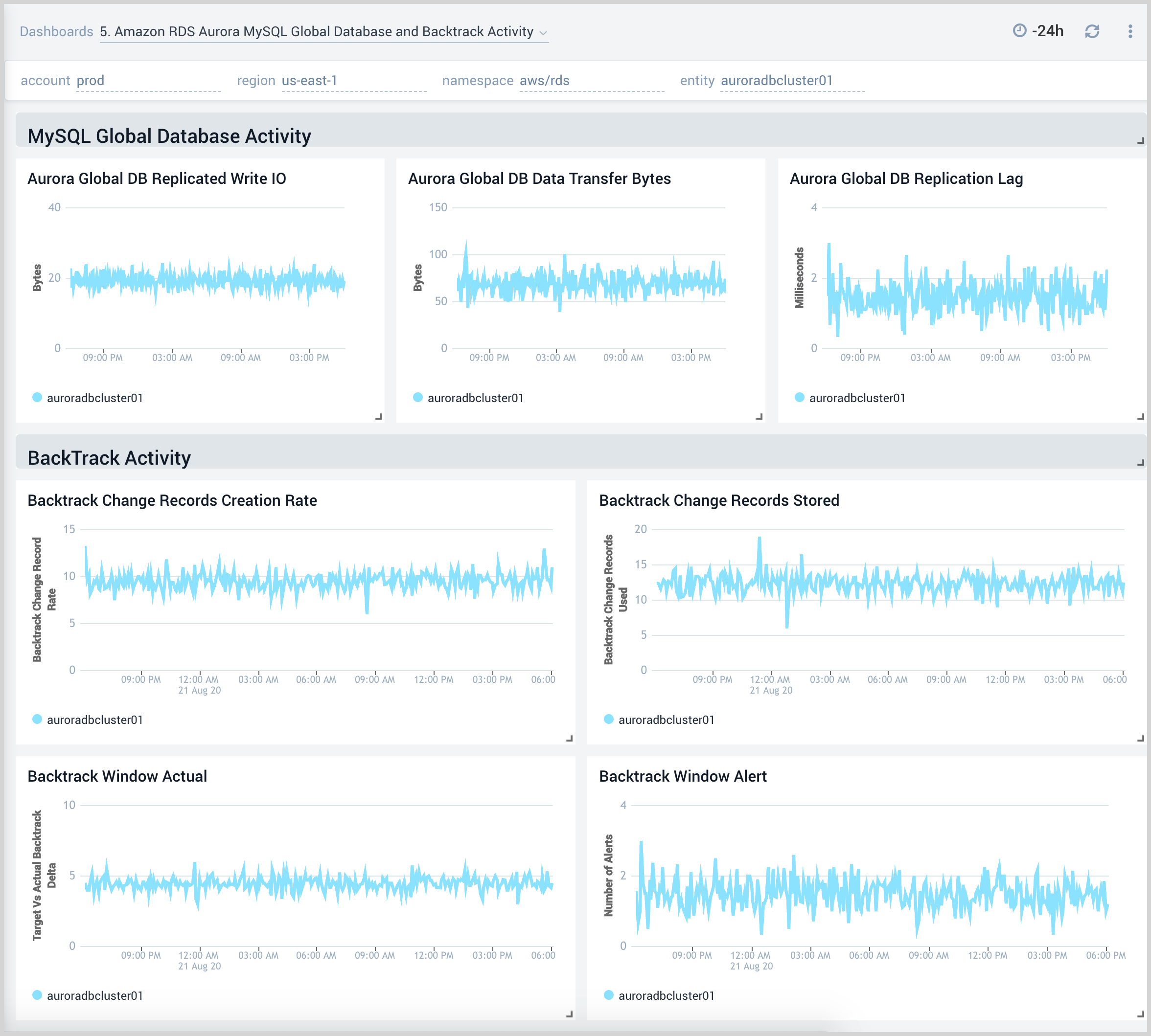 RDS metrics monitoring with Sumo Logic
In most cases, administrative, development, and security teams will need to set up more improved visibility through log management.
Sumo Logic provides visibility into your Amazon RDS instances. The Sumo Logic app sits as an additional layer on a CloudWatch source, presenting metrics in a format that is easier for consumption. Here are a few important benefits:
Easy to use: Configure a hosted collector and an Amazon CloudWatch Source for Metrics to start gathering data.
Rich visual analysis: Dashboards summarize the database instances that show data using pre-configured searches. It’s also possible to filter data based on a specific database instance, a database class, or an engine name to narrow down the dataset.
Flexible: Create specific queries based on what you need to monitor rather than just using off-the-shelf metrics.
Real-time and historical data availability: Stay ahead of the curve and respond to issues faster with a default update time of just one minute.